Steps
Step 1
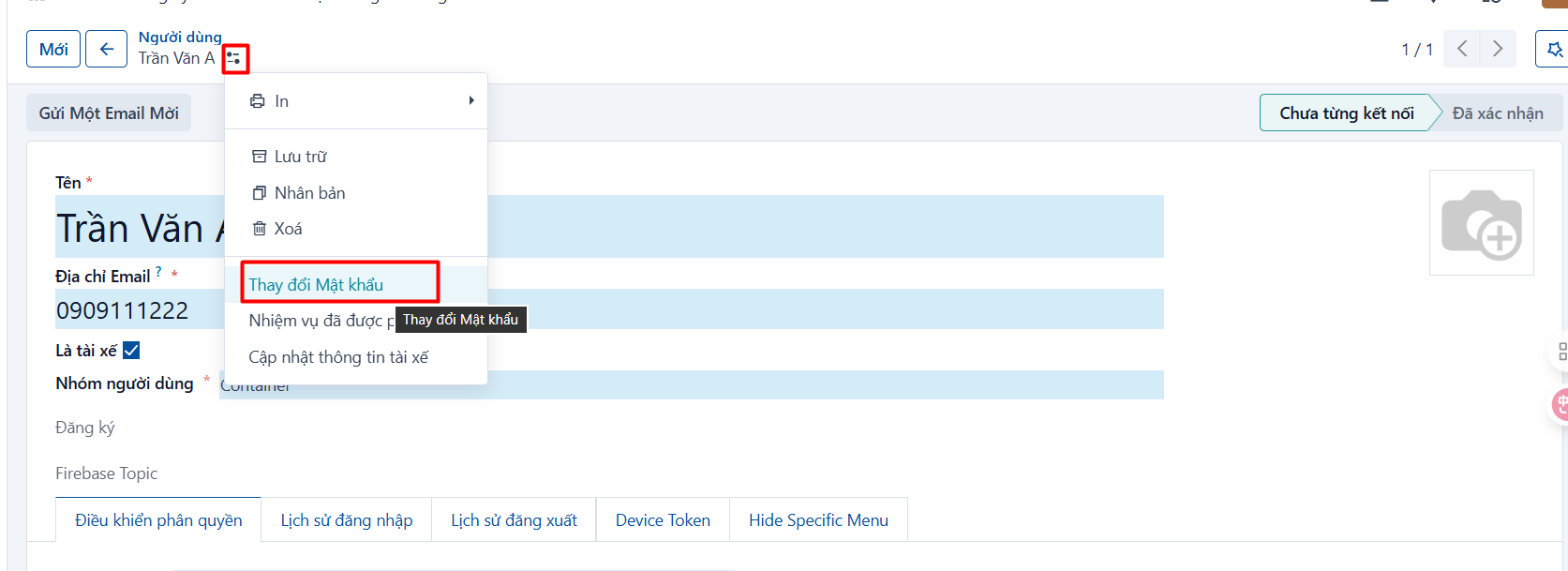
Open the account whose password needs to change → click the action button  → Change Password
-
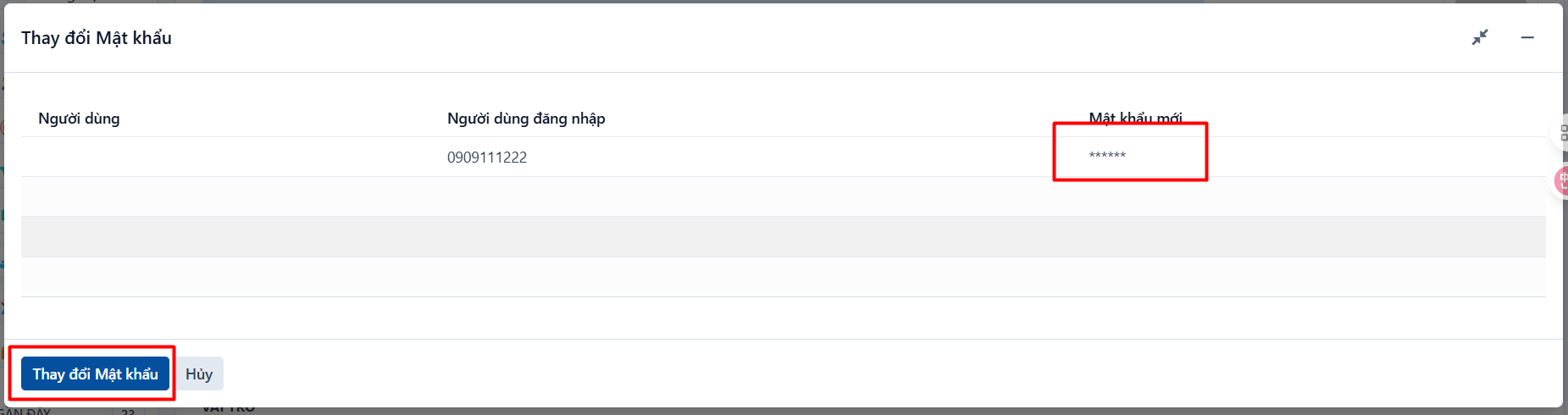
The change-password popup appears → enter the new password in the “New Password” field and click CHANGE PASSWORD
PREVIOUSDriver changes phone number