There are two ways to see the status of the containers in an order:
-
From the order list
-
On the details screen of an order
From the order list
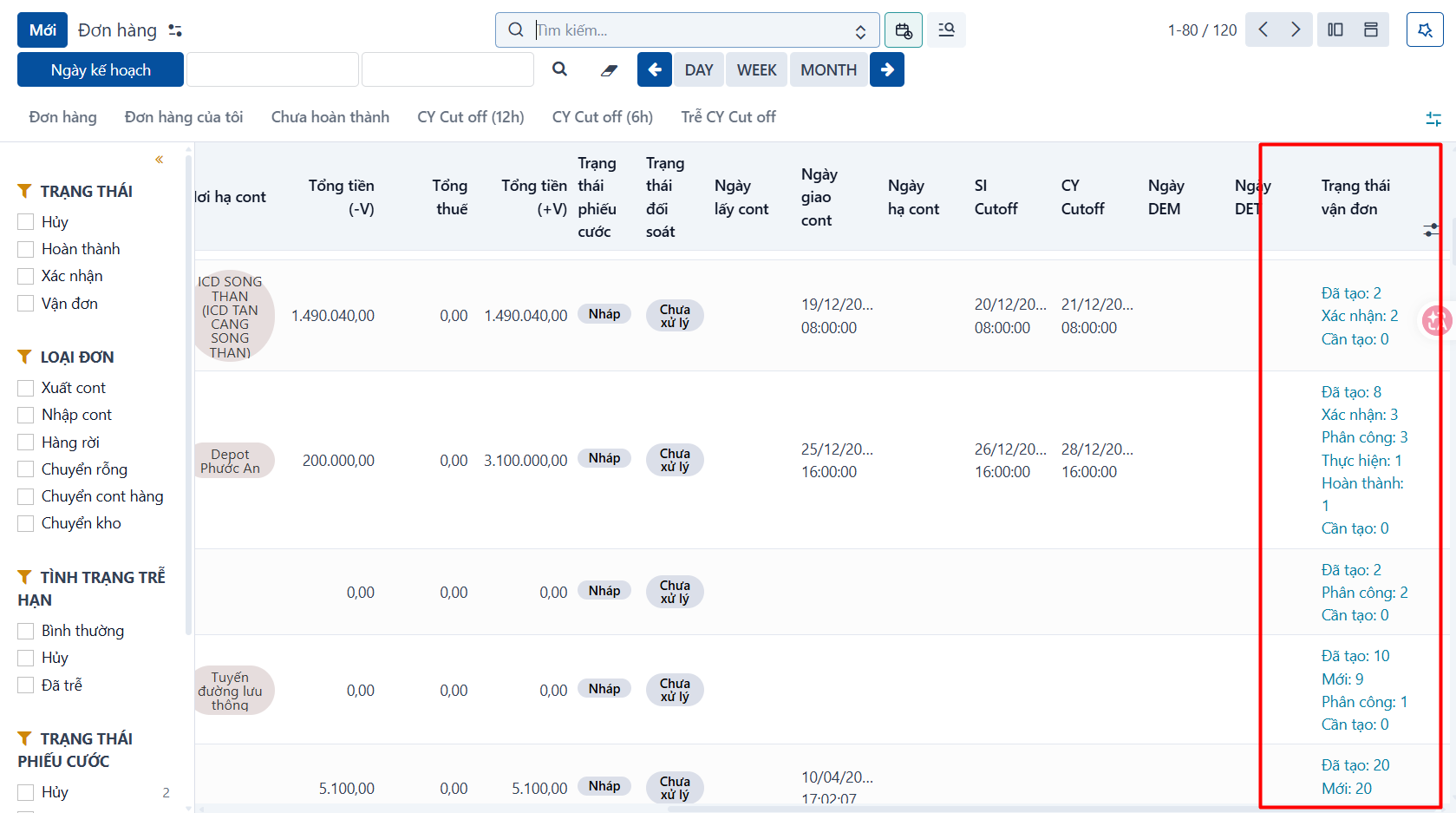
You can check the waybill status of an order at a glance, as below:
-
The Waybill status column: the system shows the number of containers and waybills per status.
-
Created: the total number of containers created for the order.
-
To create: from the number of containers you entered in the order size table and the number already created, the system works out how many are left to create.
-
Confirmed: the number of containers in the “Confirmed” state.
-
Assigned: the number of containers in the “Assigned” state.
-
In progress: the number of containers in the “In progress” state.
-
Completed: the number of containers in the “Completed” state.
-
Not completed: the number of containers in the “Not completed” state.
-
Canceled: the number of containers in the “Canceled” state.
-
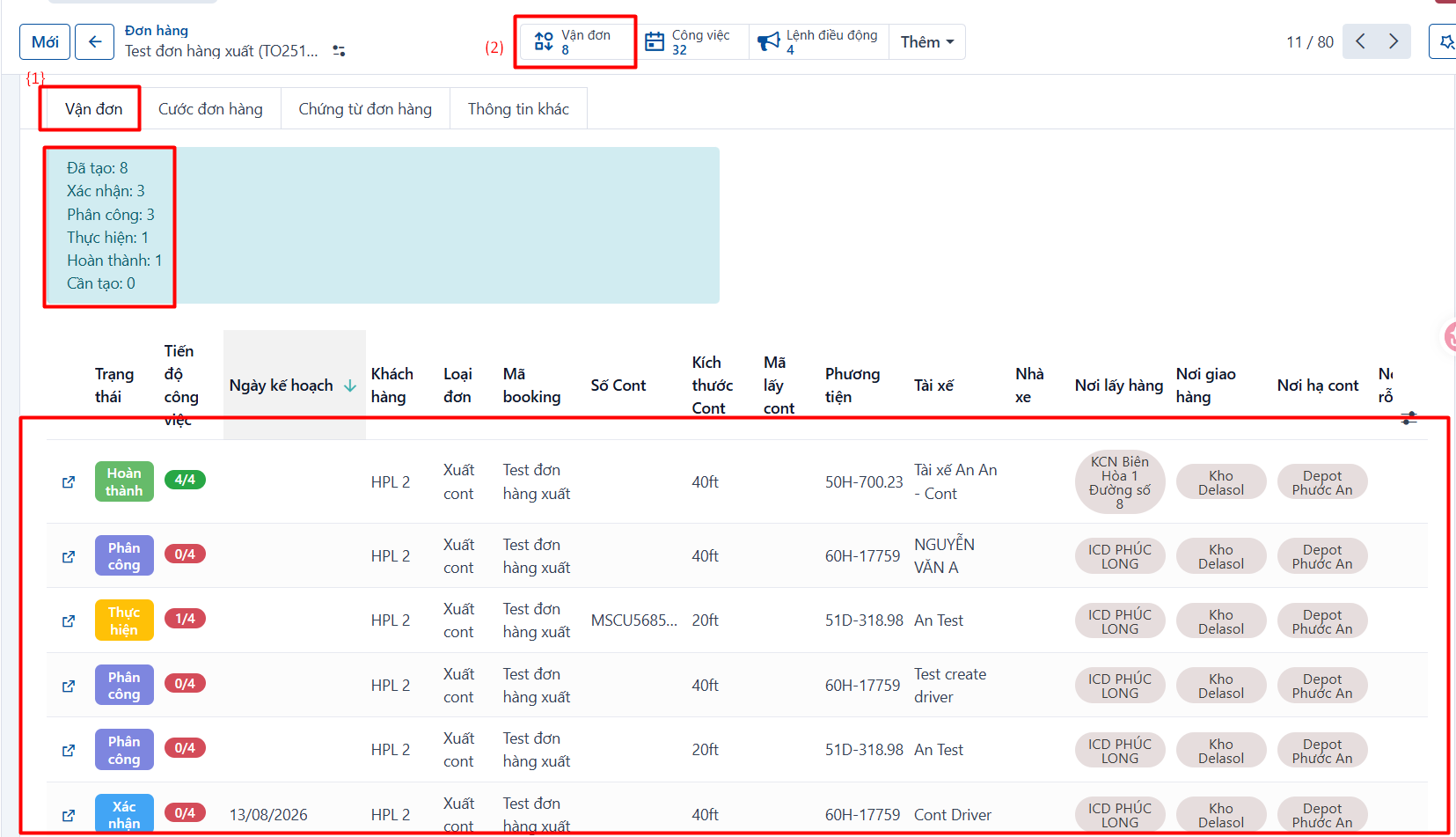
On the order details screen
You can also see the waybill status and the waybill list of an order on the [Container/Waybill] tab (1), or by clicking the Waybill link button (2), as below.