Once you have applied filters or grouped the data, you can save that filter or grouping and reuse it later instead of building it again:
- Click the icon at the end of the search bar and the favorite filter section appears:
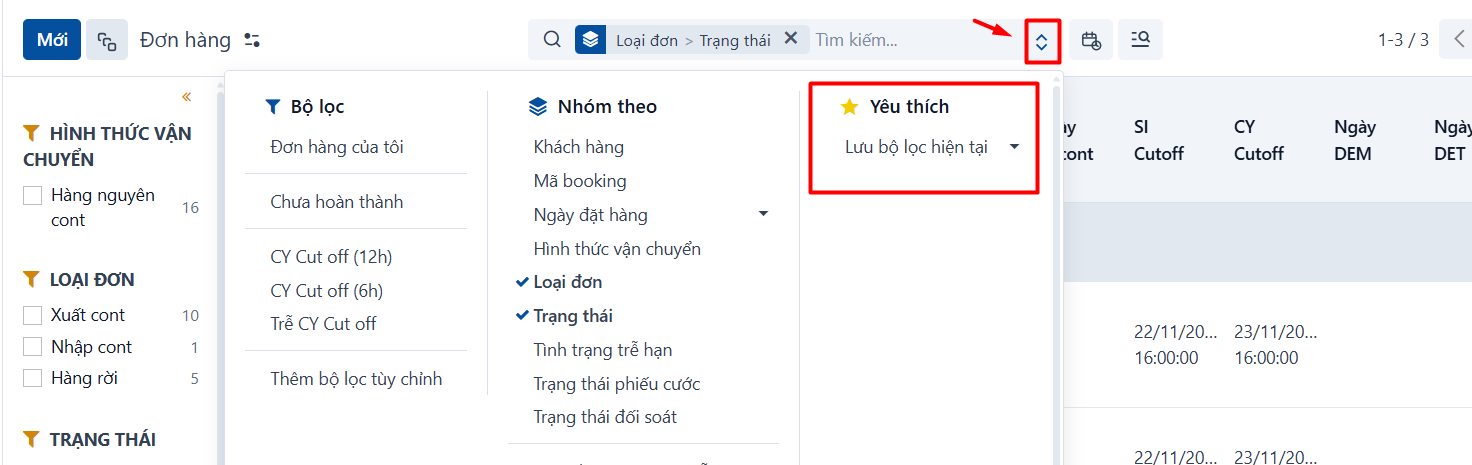
-
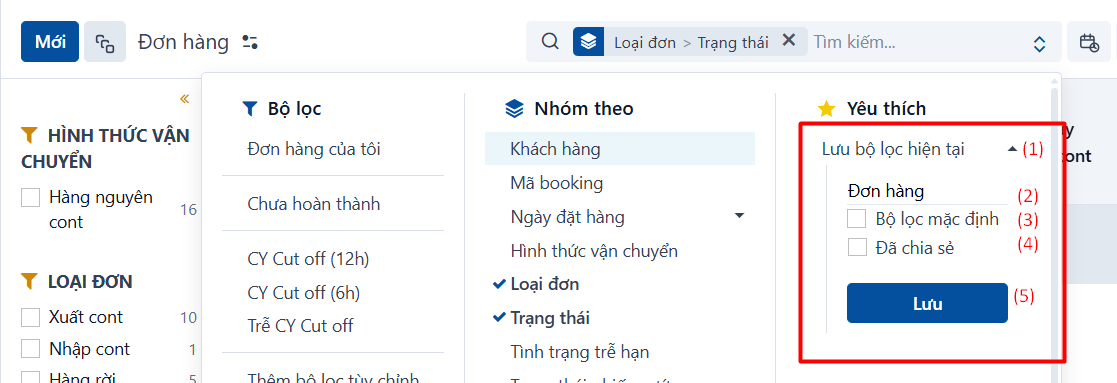
Click Save current search (1):
-
Enter a name for the filter (2).
-
Tick Default filter if you want the system to apply this filter automatically every time you open this screen (3).
-
Tick Shared if you want to share this filter with other users (4).
-
Click Save to finish (5).
-
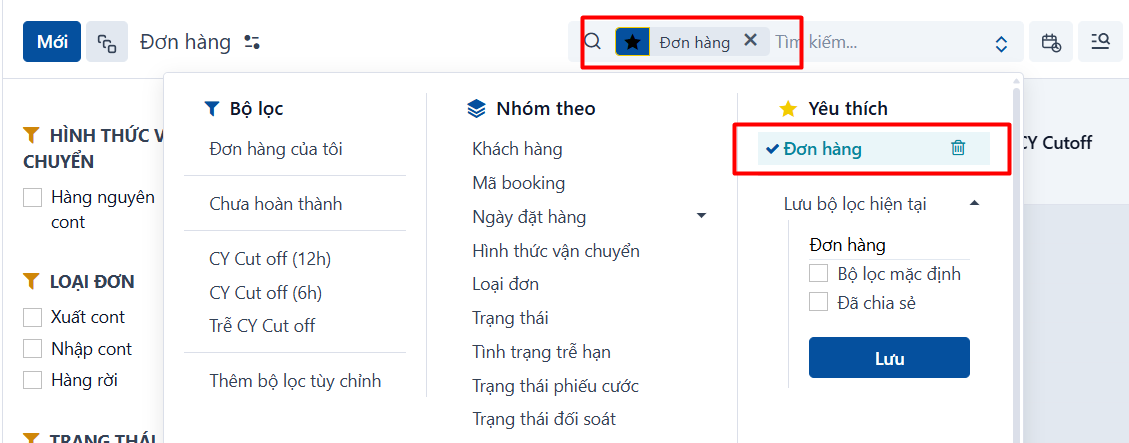
- The filter once it is saved:
PREVIOUSGrouping data