Option 1
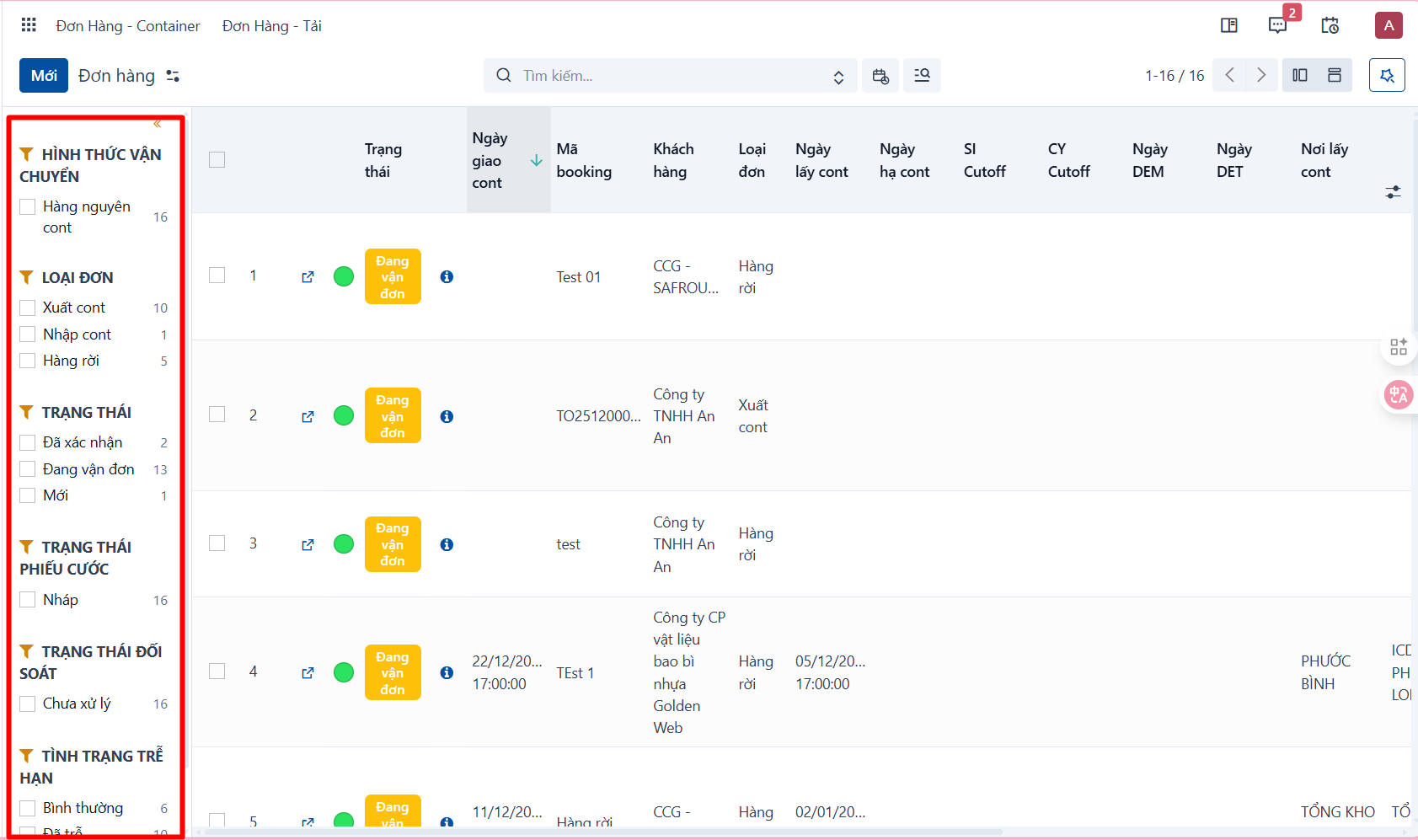
Use the search panel (quick filter).
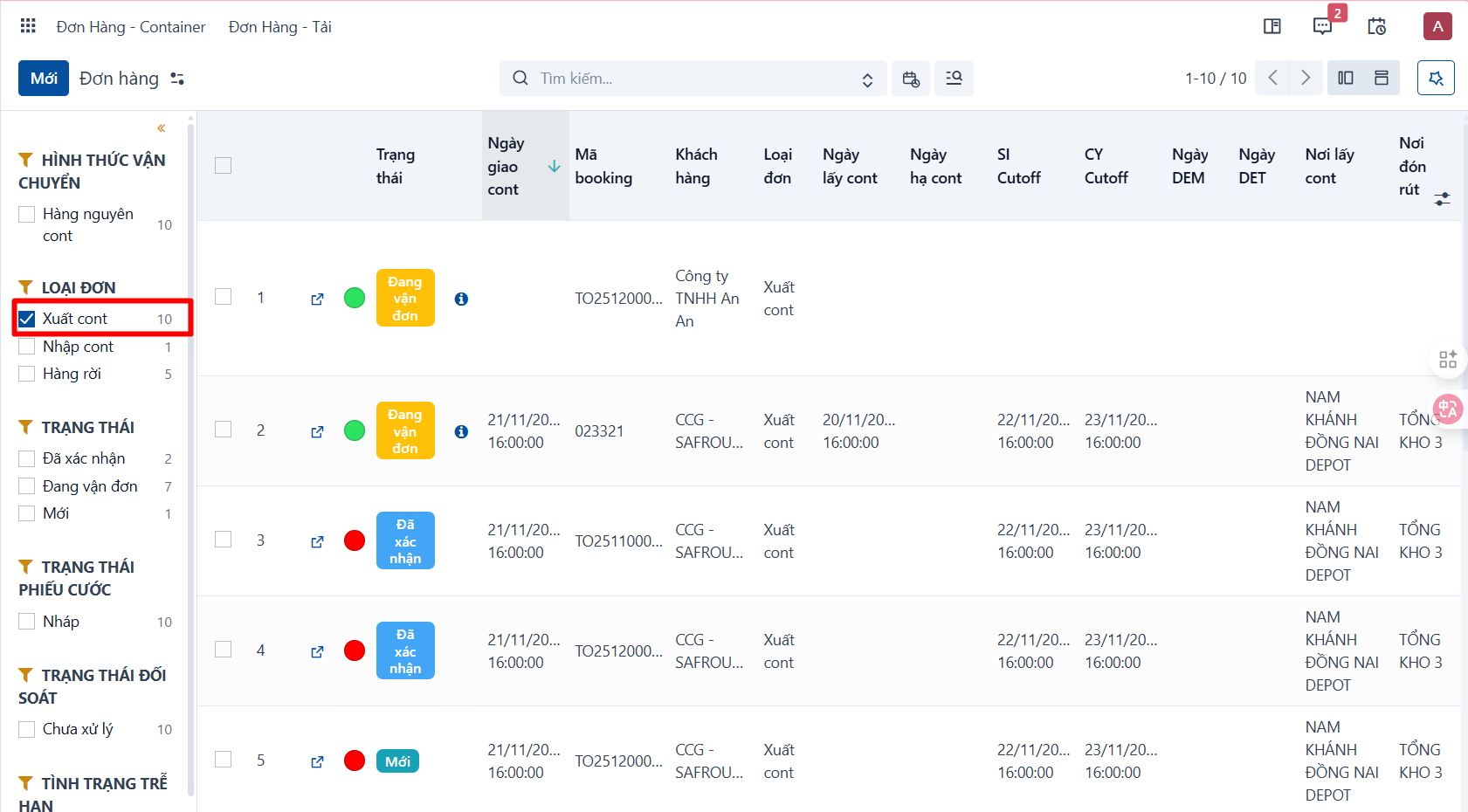
- In some menus the system provides a search panel on the left of the screen. You can filter data quickly there:
Option 2
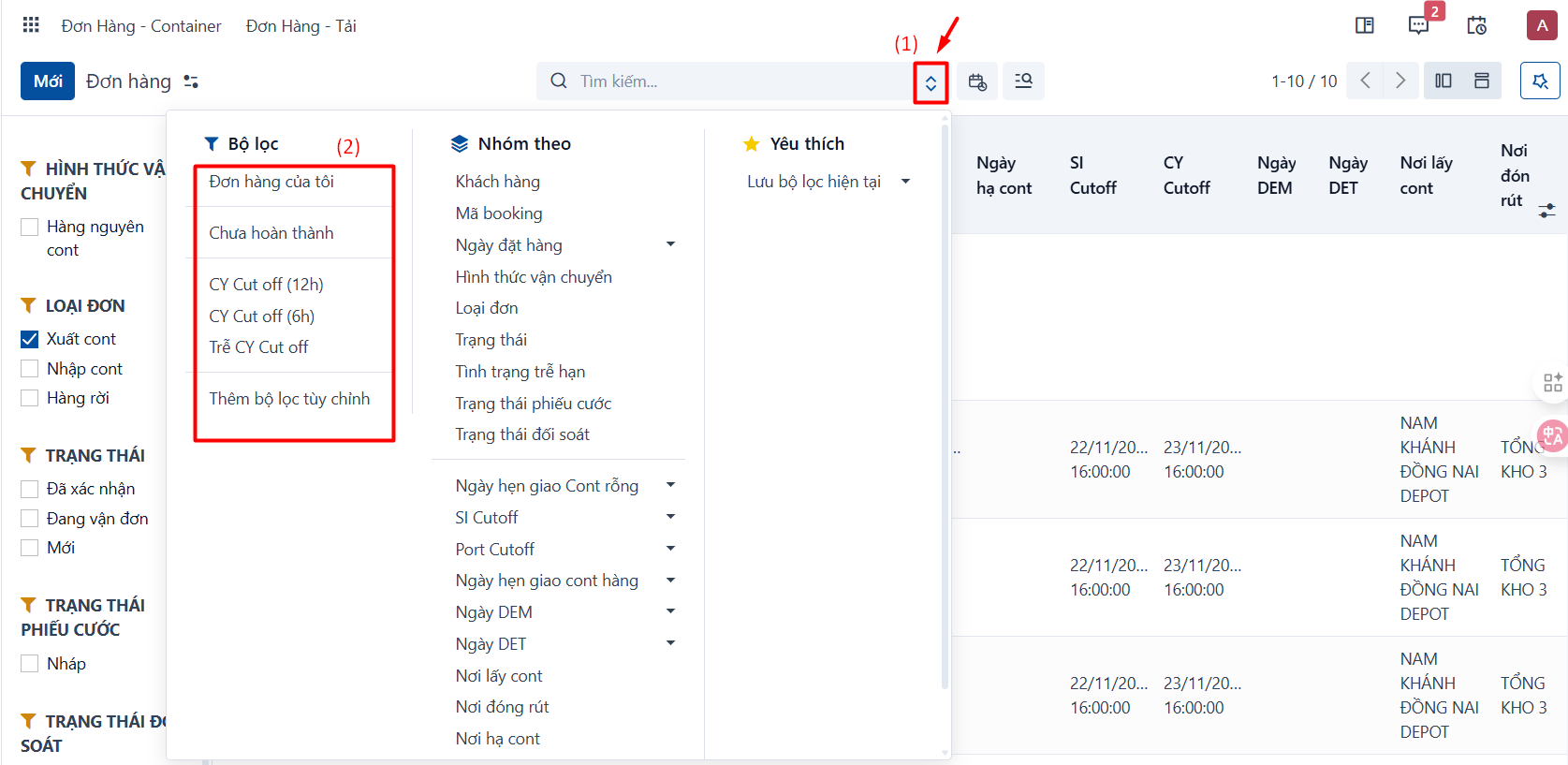
Use the built-in filters. Depending on the menu, the system provides a number of default filters.
- Click the icon at the end of the search bar (1) → select one of the built-in filters under (2):
Option 3
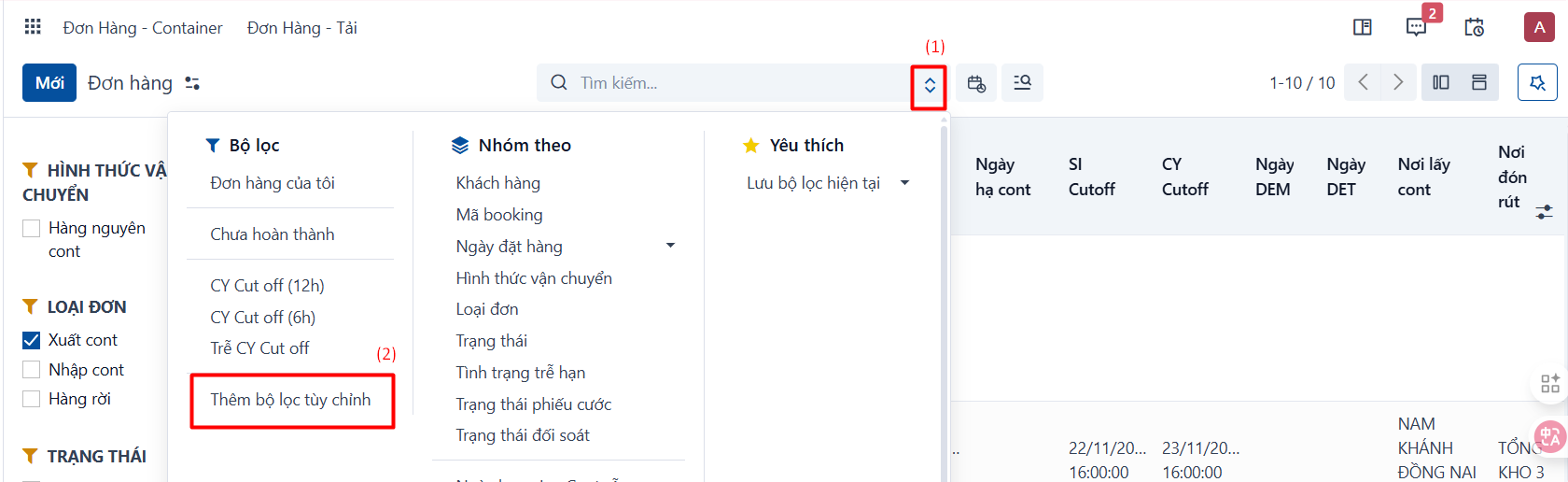
Advanced filtering — use this when you want to filter by criteria the system has no built-in filter for.
- Click the icon at the end of the search bar (1) → click Add Custom Filter (2):
- The system shows a popup → enter the filter criteria you want (1) → click Add to create the new filter.

- The new filter has been created:
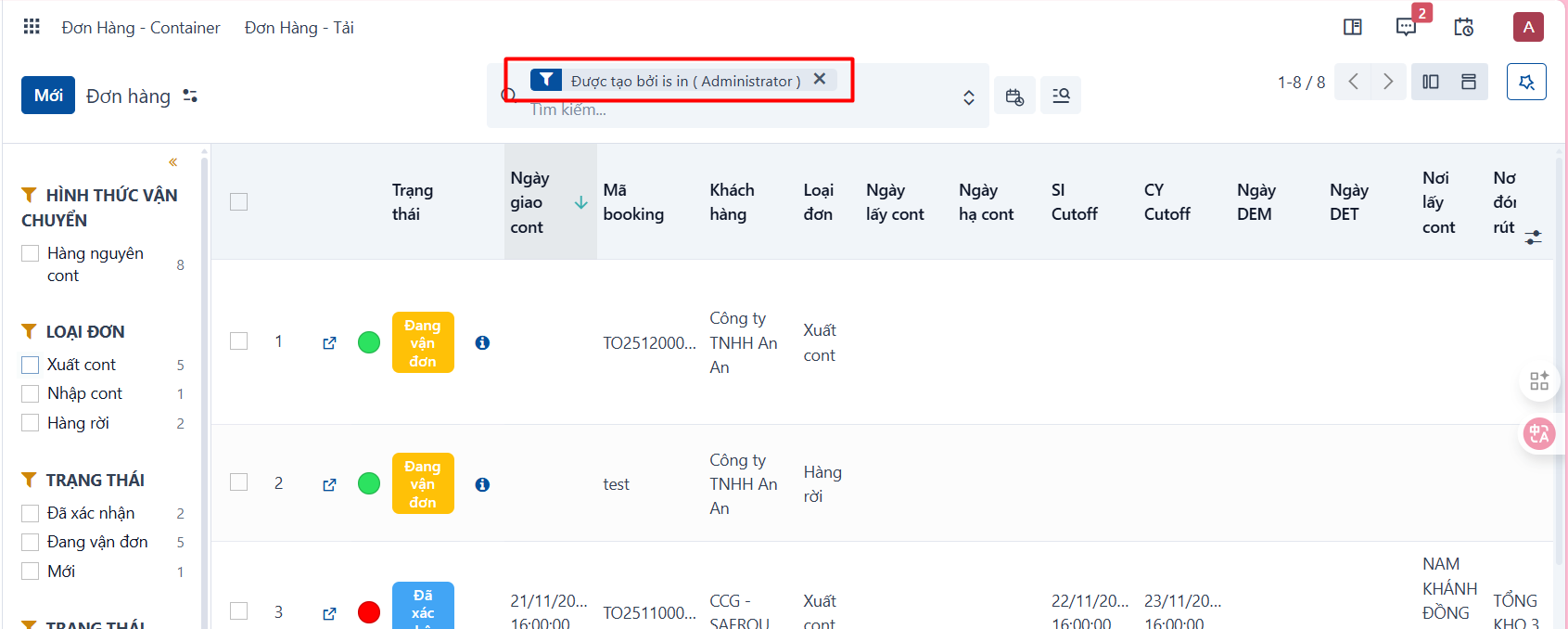
- Note that a filter created this way is only temporary: it disappears when you move to another screen or reload the page. But there is a way to save it and reuse it later → see Saving a favorite filter.
PREVIOUSSearching for data