Dispatch status in the waybill list
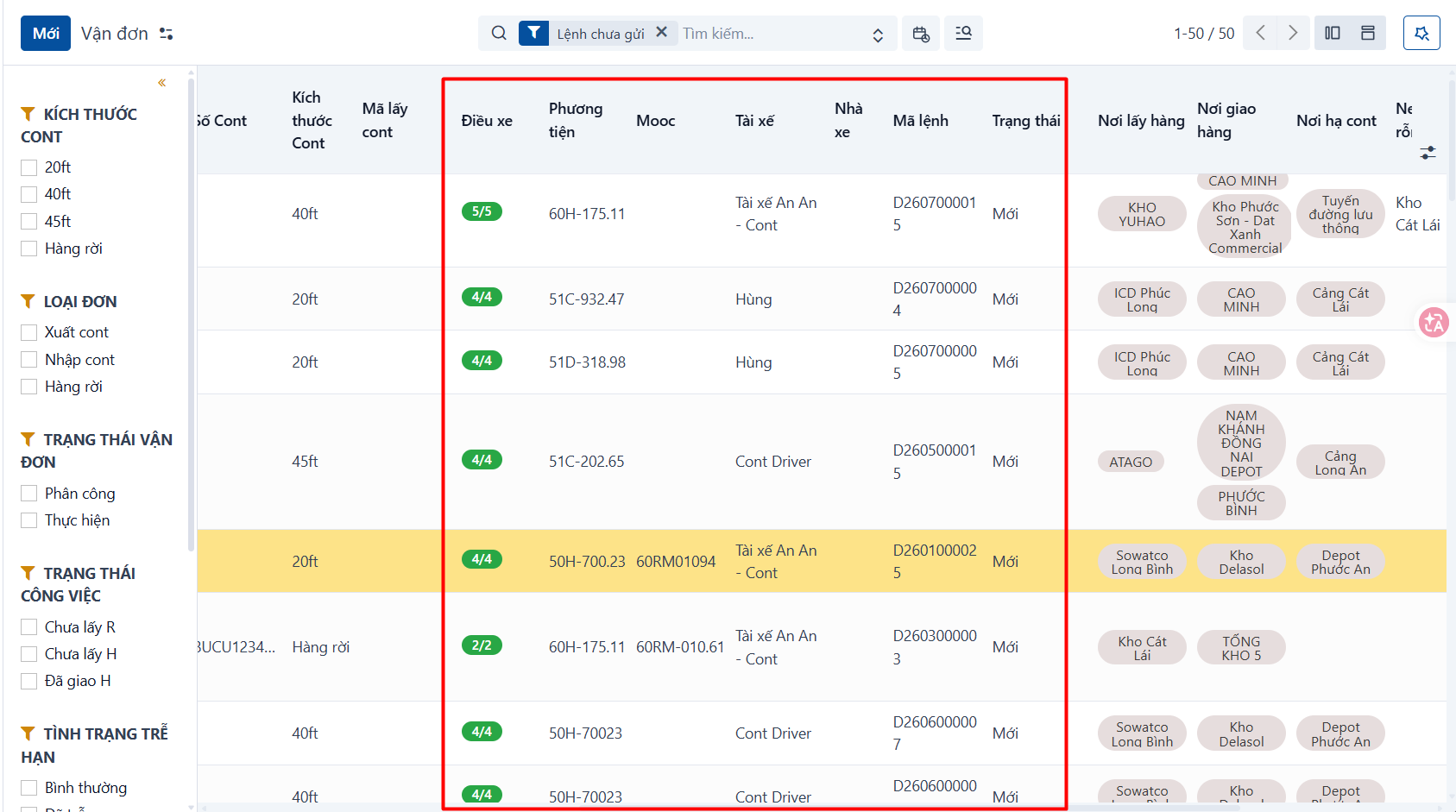
In the waybill list you can follow the dispatch status of the waybills through the information shown below:
| Field | Description |
|---|---|
| Task progress | Shown as X / Y: - X is the number of tasks completed. - Y is the total number of tasks to carry out. |
| Paired waybill | The 20ft container waybill it is paired with. |
| Dispatch order code | The list of dispatch orders for that waybill. If there are several, each one is a separate row. |
| Dispatch order status | The state of the matching dispatch order. |
| Carrier | If the dispatch order is carried by a cooperative vehicle, it is shown here; otherwise three dashes - - - appear. |
| Vehicle | The licence plate for that dispatch order. If no vehicle has been assigned — the vehicle field is empty — three dashes - - - appear. |
| Driver | The driver’s name for that dispatch order. If no driver has been assigned — the driver field is empty — three dashes - - - appear. |
| Trailer | The trailer’s plate. If the waybill’s task in that dispatch order has no trailer assigned — the trailer field is empty — three dashes - - - appear. |
Searching by dispatch status
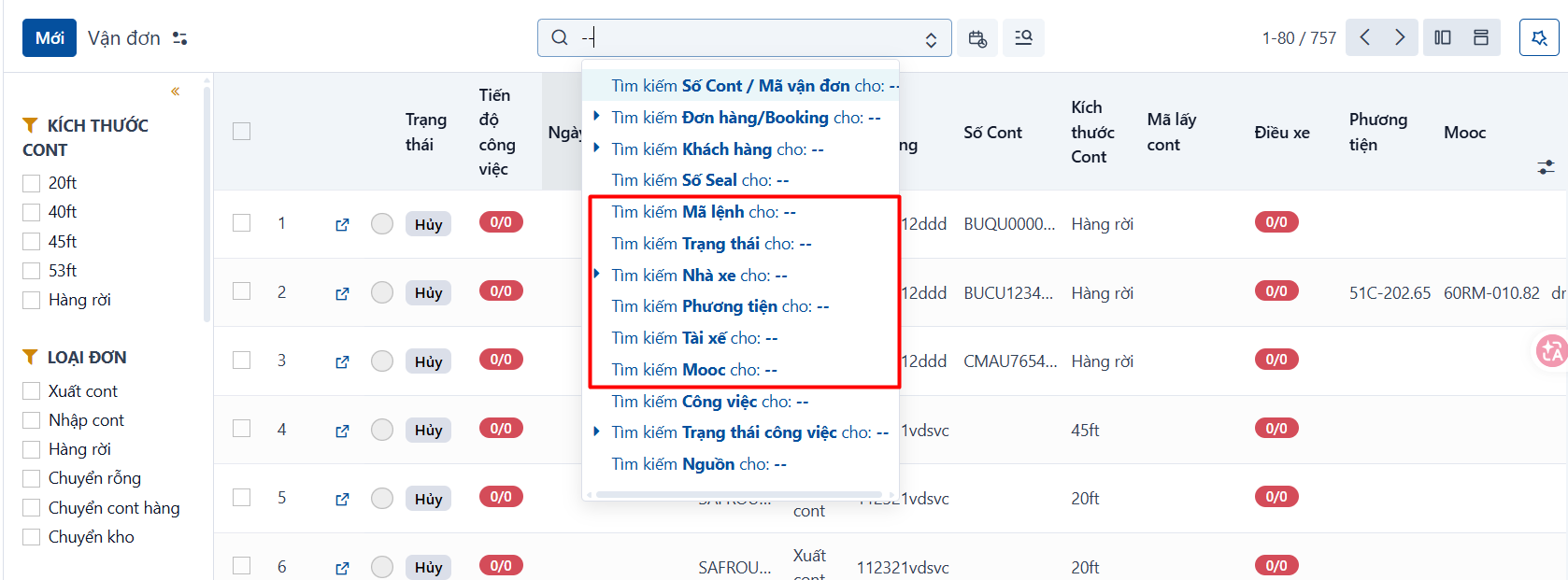
You can search containers and waybills by any of these fields:
A few search tips
-
Type “—” and search by carrier to list the waybills carried by your own vehicles.
-
Type “—” and search by vehicle or driver to list the waybills that have a dispatch order but no vehicle or driver assigned to it yet.