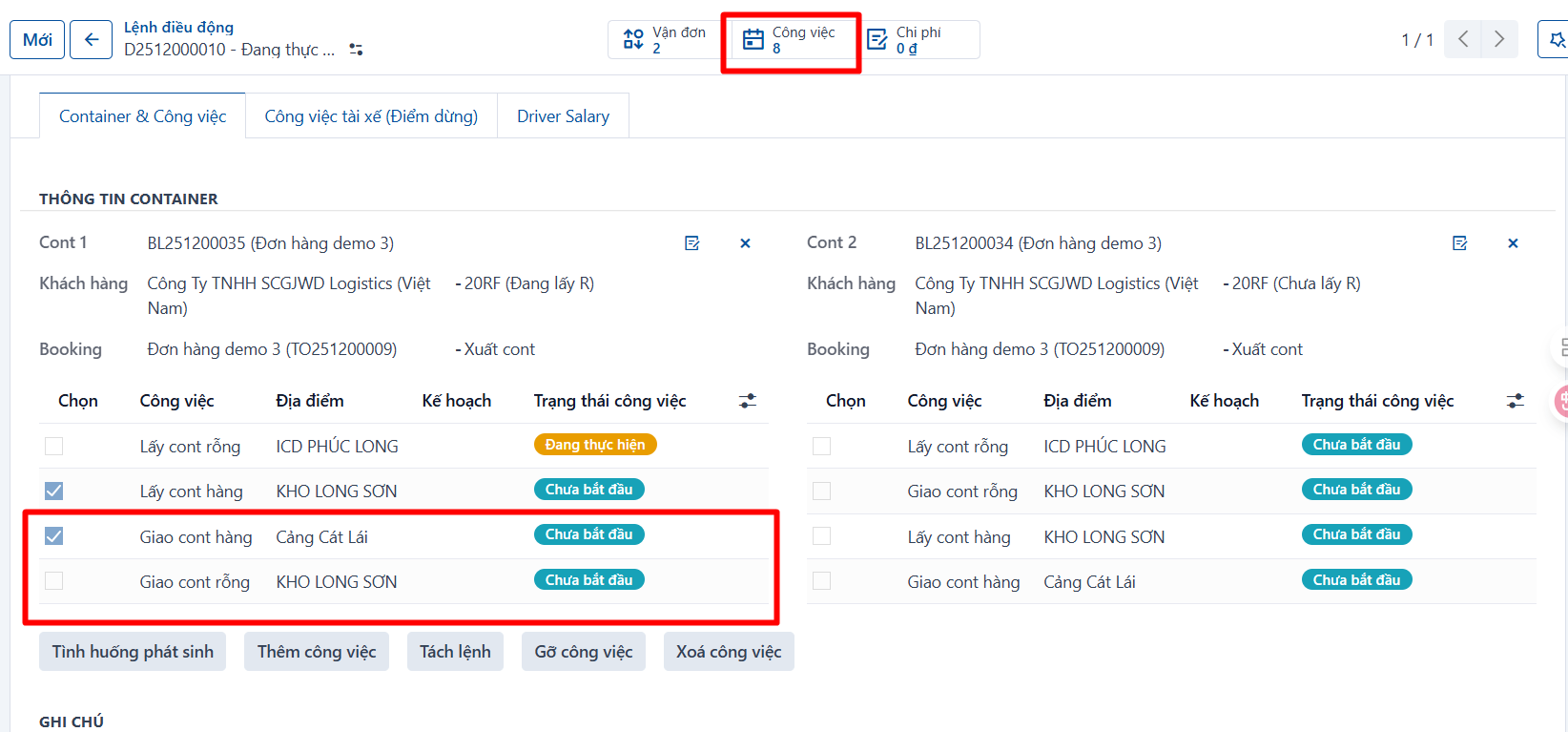
To add back tasks that were removed from a dispatch order, do the following:
Step 1
The dispatcher selects the dispatch order to add the tasks to.
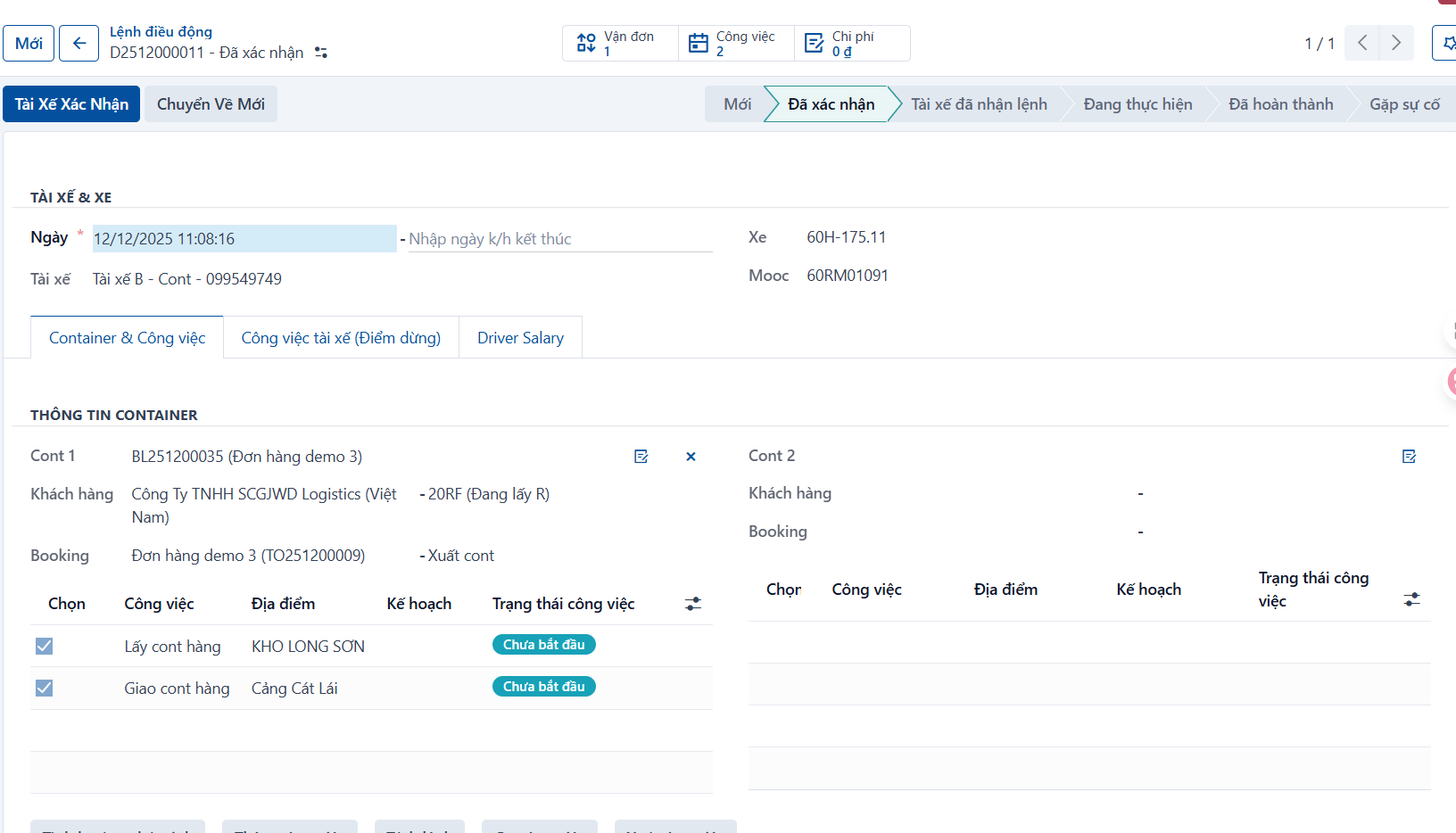
Step 2
Click “Add task”.
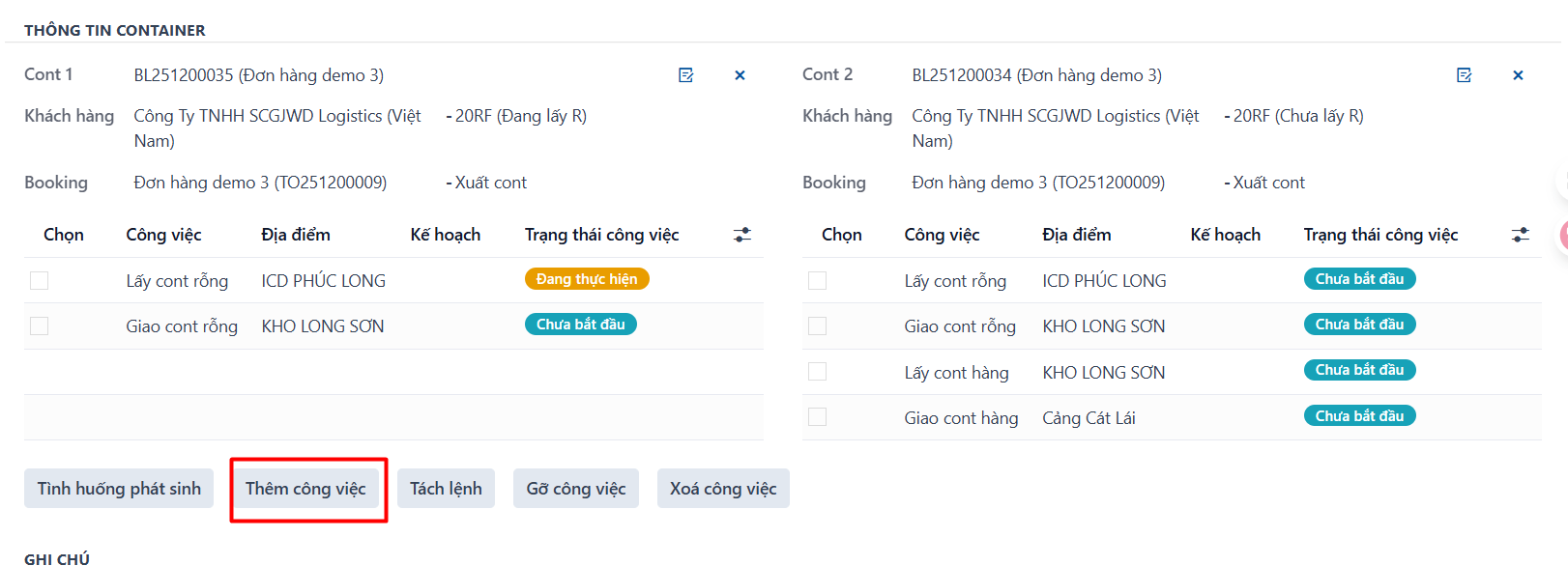
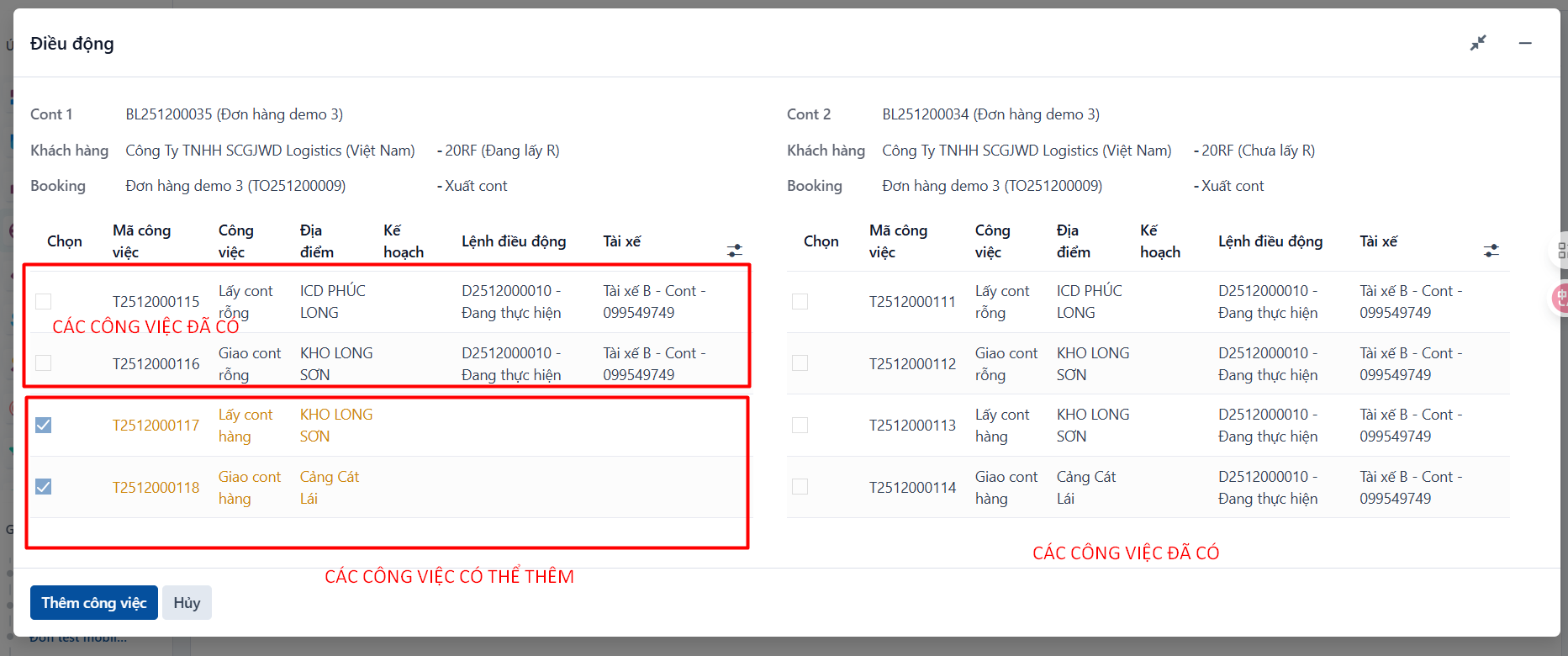
The system shows a popup with the tasks of the waybill, in two groups:
- Tasks already in the order, which cannot be selected
- Tasks that can be added, which can be selected and are marked in orange
Step 3
Select the tasks to add to the order (1) and click “Add task”.
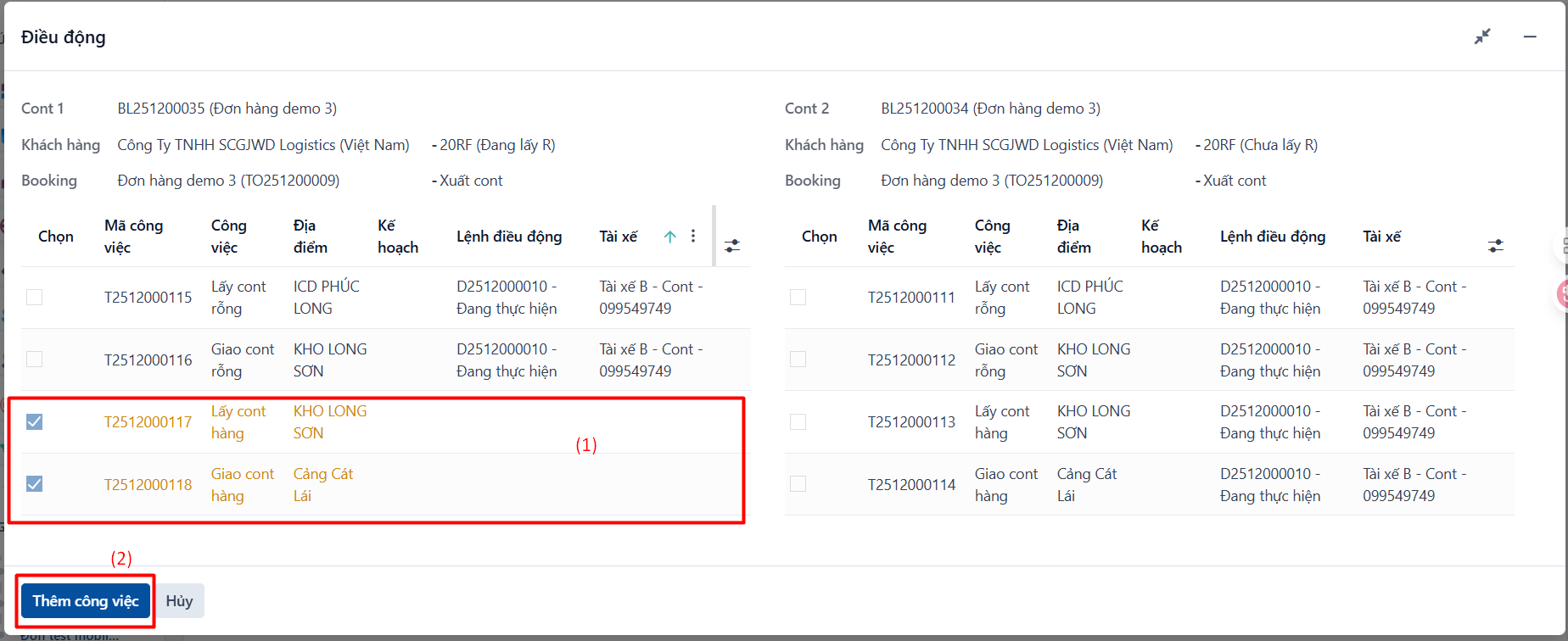
Result: once you click the button, the selected tasks are added to the task list of that dispatch order.