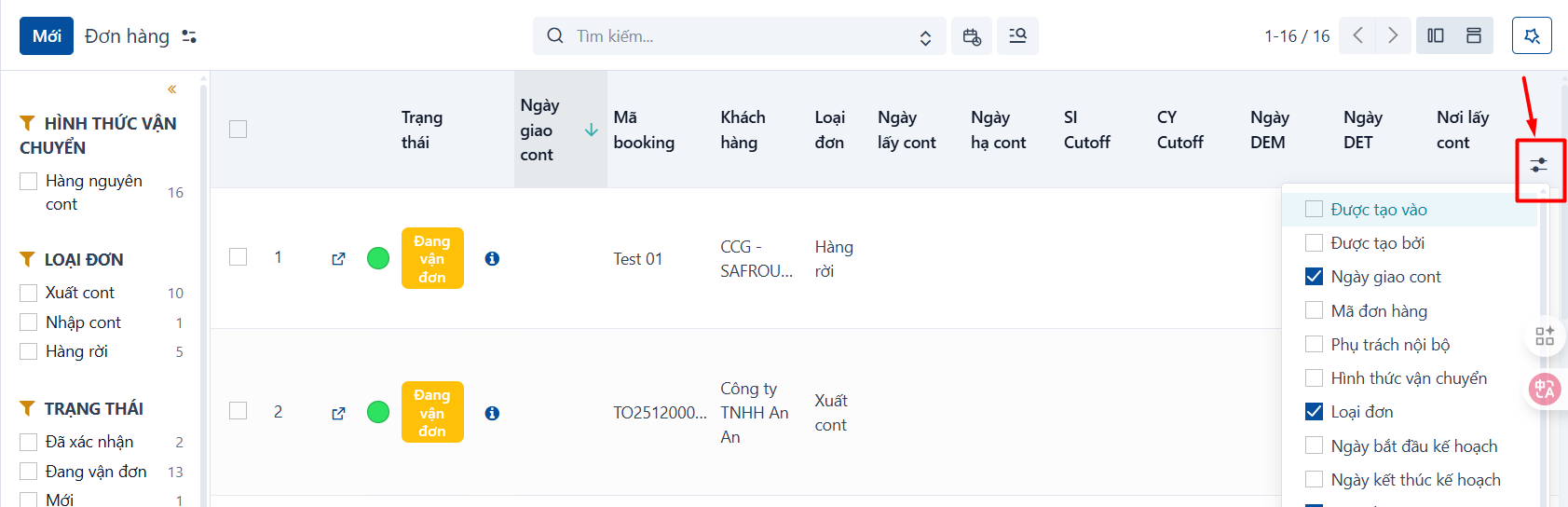
In the list view of some menus the system shows only a few main columns by default. You can click the icon at the end of the header bar to choose which columns to show or hide.
This setting applies only to your own account. Note that clearing your browser cache resets it to the system default.