Access
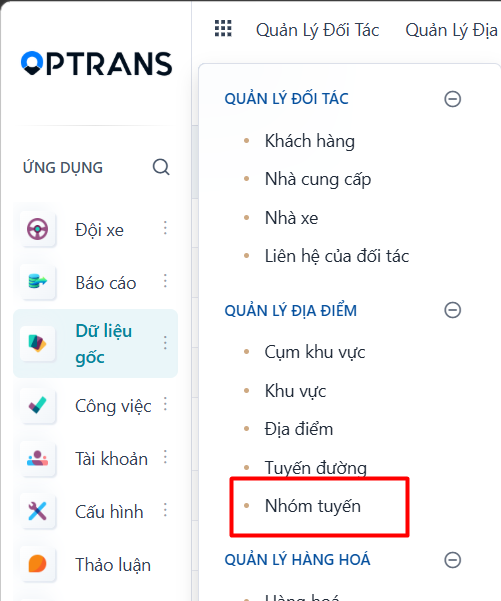
Menu: Master data > Route groups
Access rights: Master Data User
Use the path above to open the screen where you create a new route group.
Steps
Step 1
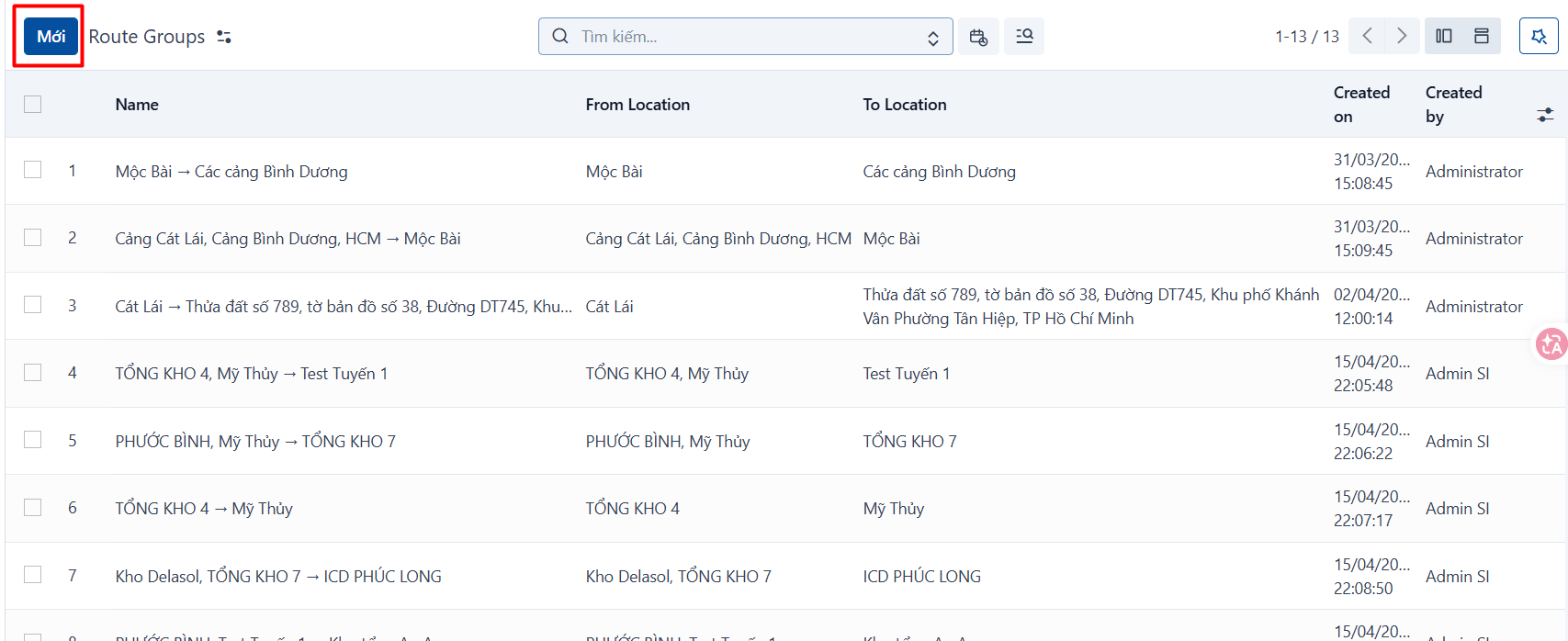
Click NEW to create a new route group.
Step 2
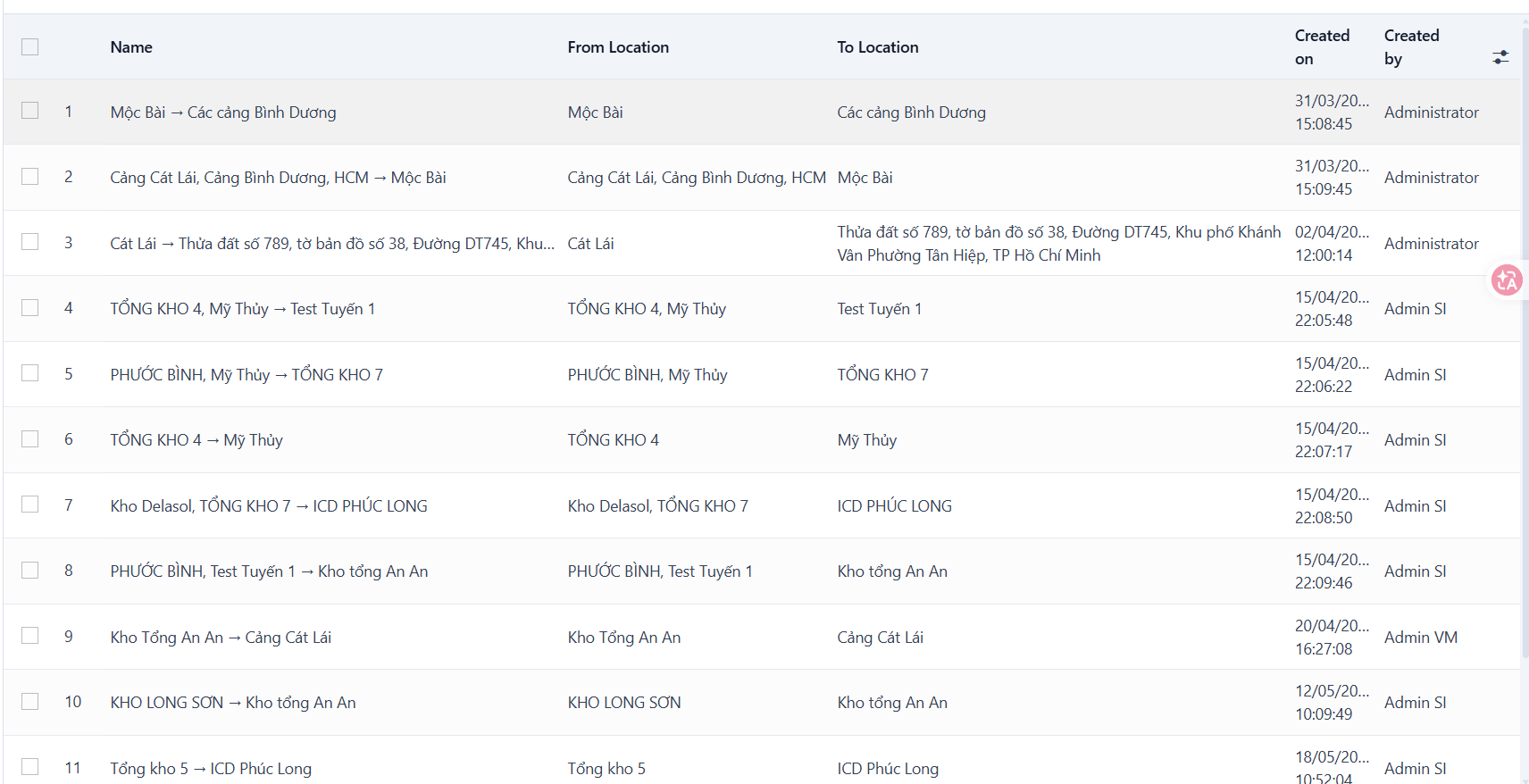
After you click NEW, the system adds a new data row on the list view. Enter the route group information in that row.
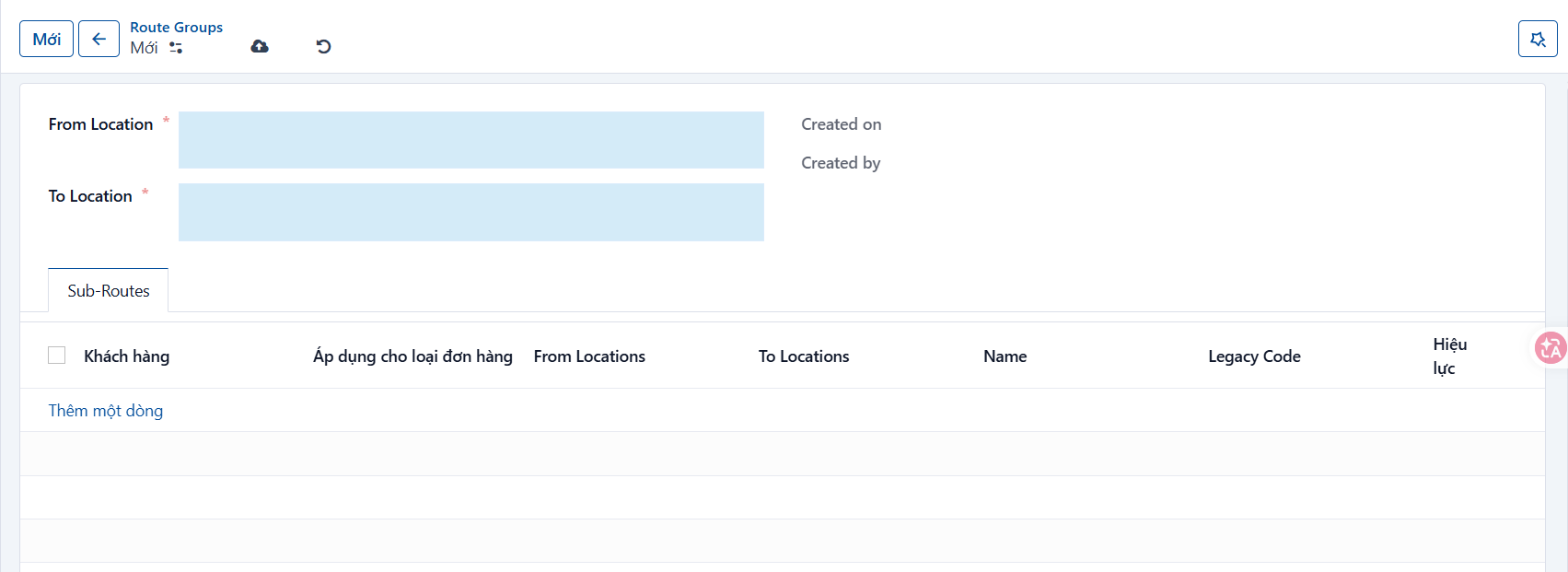
Information to fill in
| No. | Field | Notes |
|---|---|---|
| 1 | From | Required. Origin location. Enter the starting location of the route group. |
| 2 | To | Required. Destination location. Enter the ending location of the route group. |
Step 3
Click SAVE to save what you have entered.
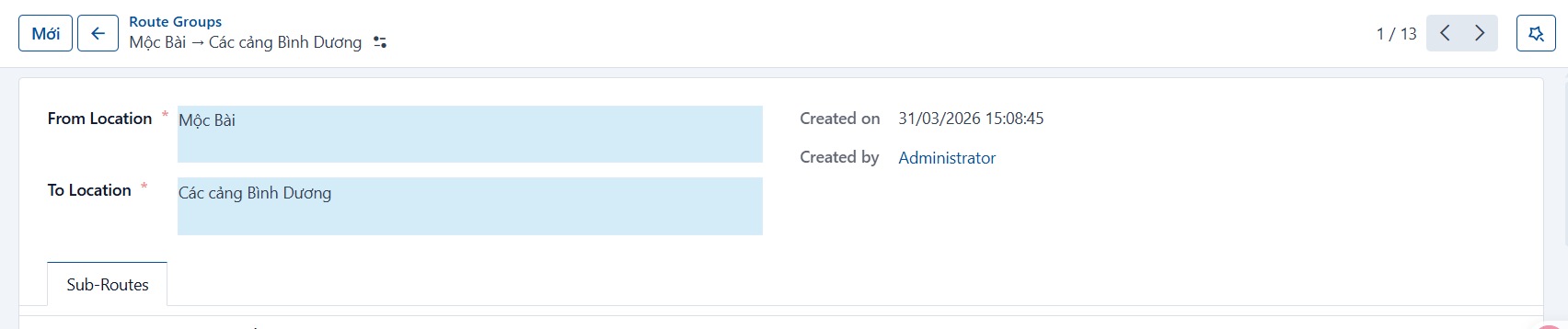
Result
The record after it has been created successfully.
PREVIOUSRoutes
NEXTCargo names