The overdue status has three values
-
Overdue: past the deadline.
-
Due soon: within 6 hours of the deadline.
-
Normal: more than 6 hours before the deadline.
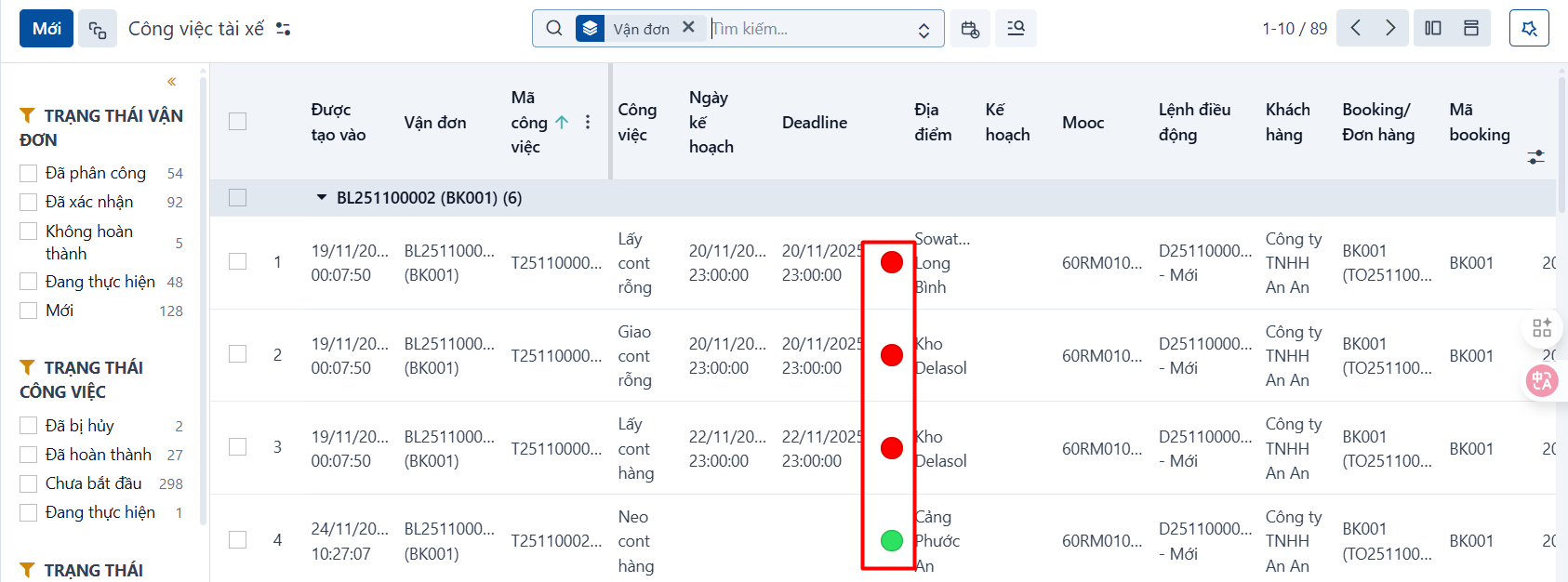
In the task list
The system shows a light column so you can tell the overdue status at a glance.
-
Overdue: red light
-
Due soon: yellow light
-
Normal: green light
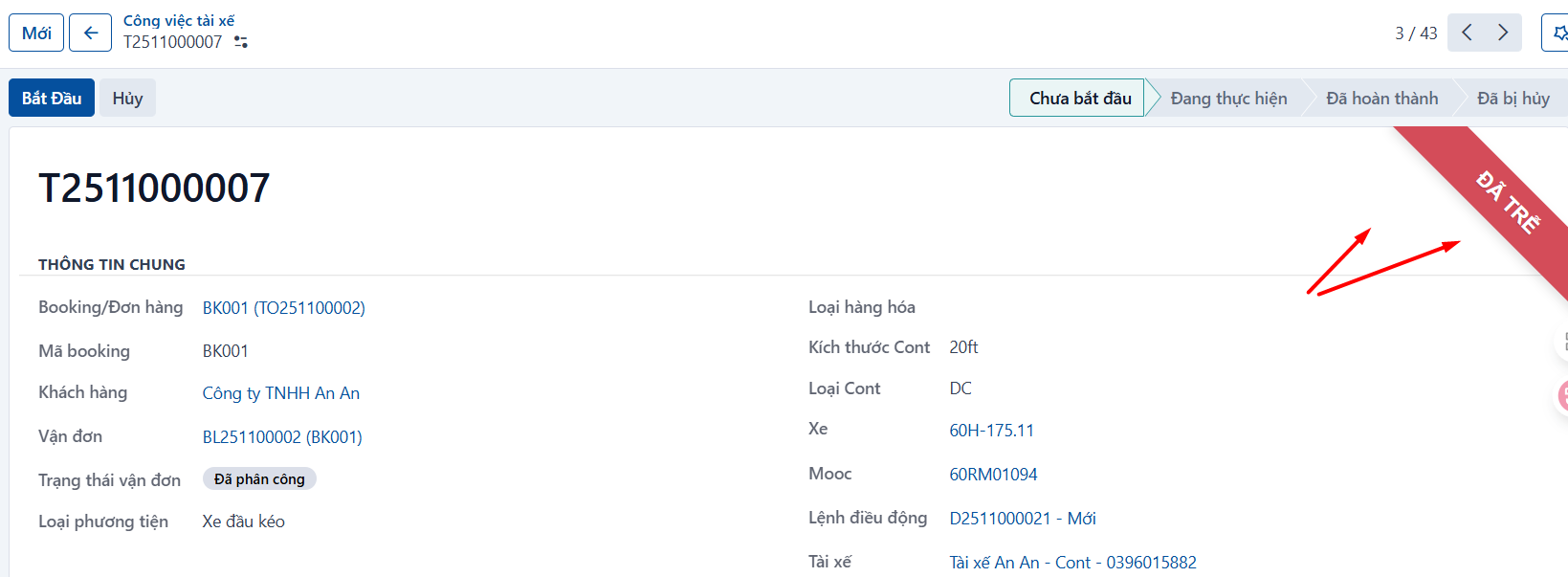
On the details screen of a task
When a task is “Due soon” or “Overdue”, the system shows a matching ribbon as below.
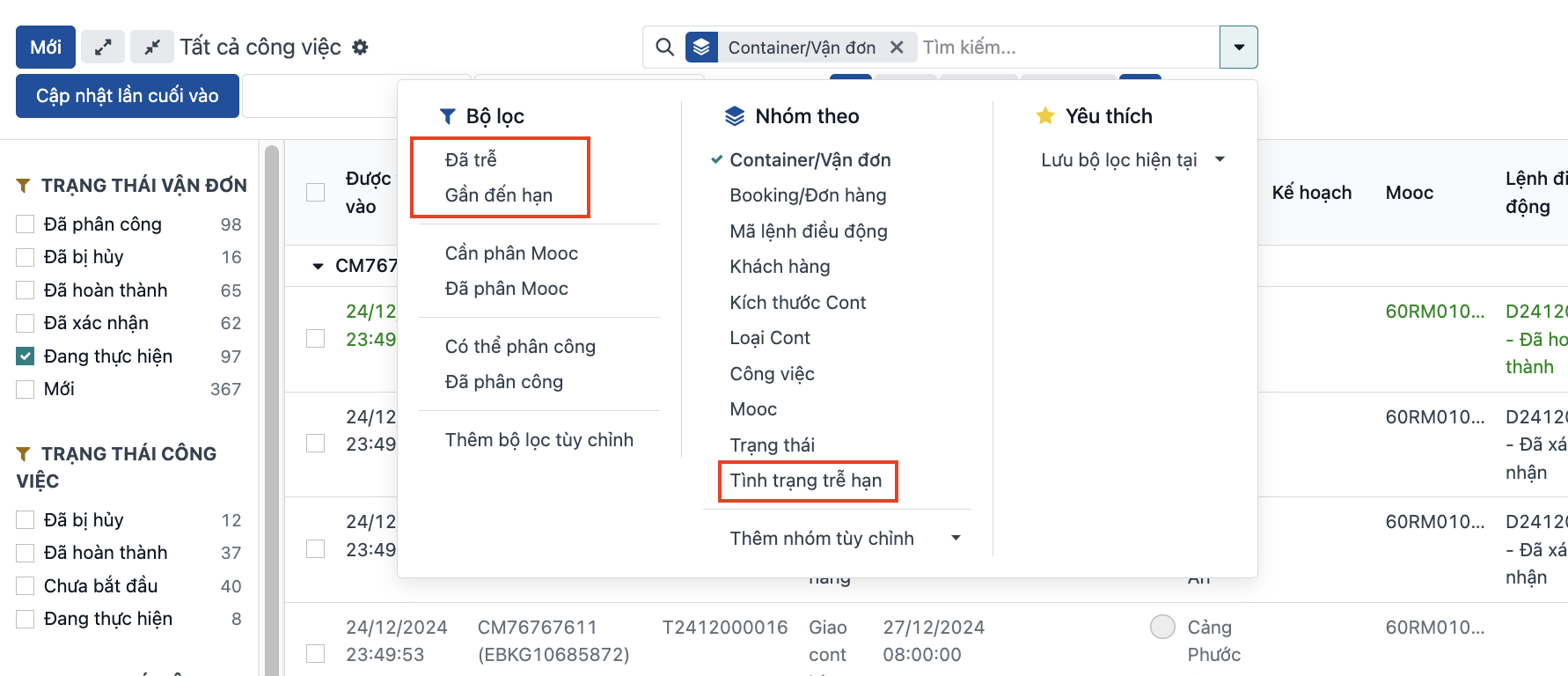
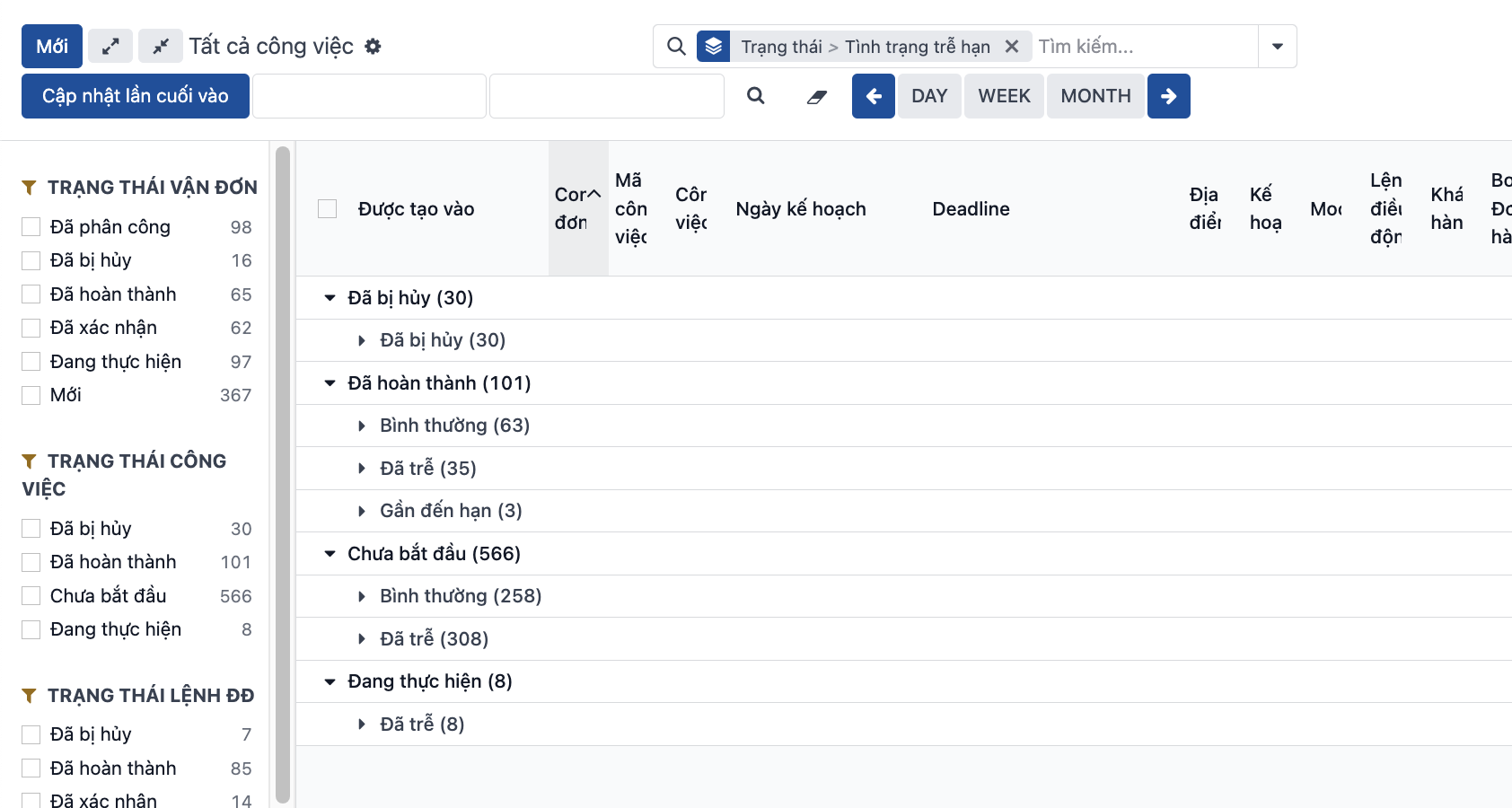
The system also provides the “Overdue” and “Due soon” filters and a grouping by “Overdue status” so you can filter the data easily:
PREVIOUSDeleting a task