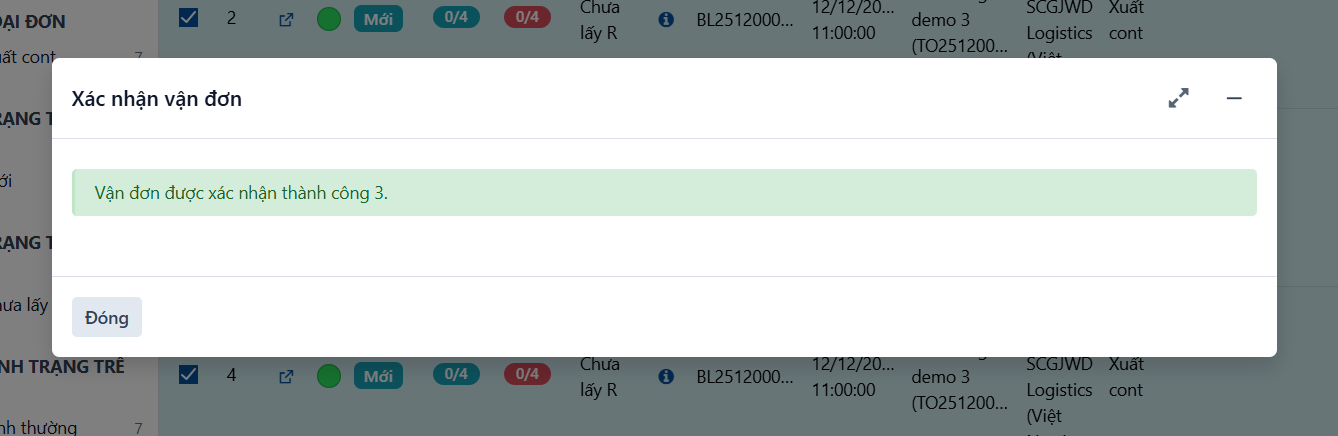
Ways to confirm a container or waybill
-
Option 1: confirm one specific container or waybill.
-
Option 2: confirm many containers or waybills at once.
Option 1:
Confirming one specific container or waybill
Step 1
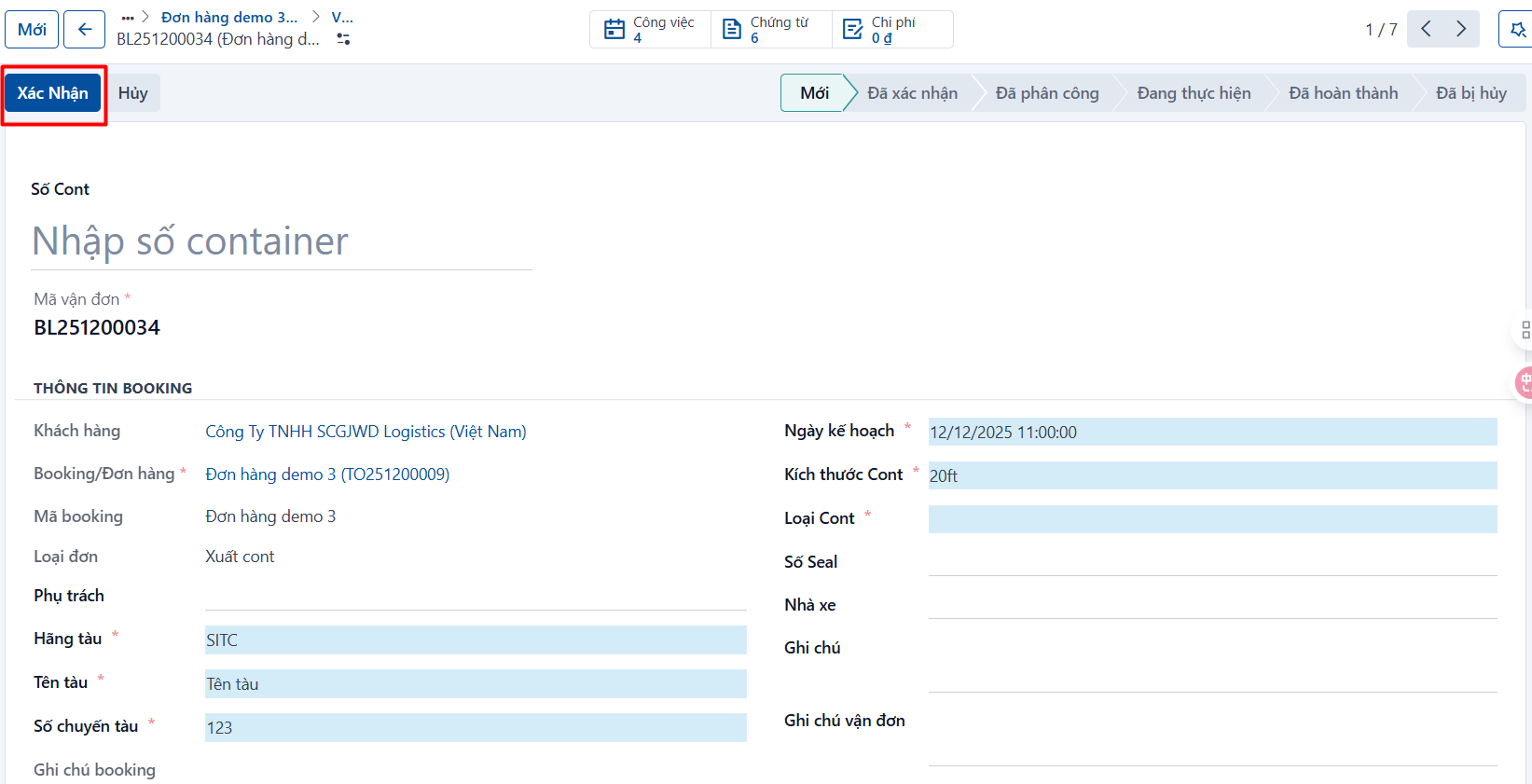
On the details screen of a waybill → click CONFIRM. When you confirm, the system checks whether the waybill has all the information it needs. If the system warns you, complete the missing information and confirm again.
Step 2:
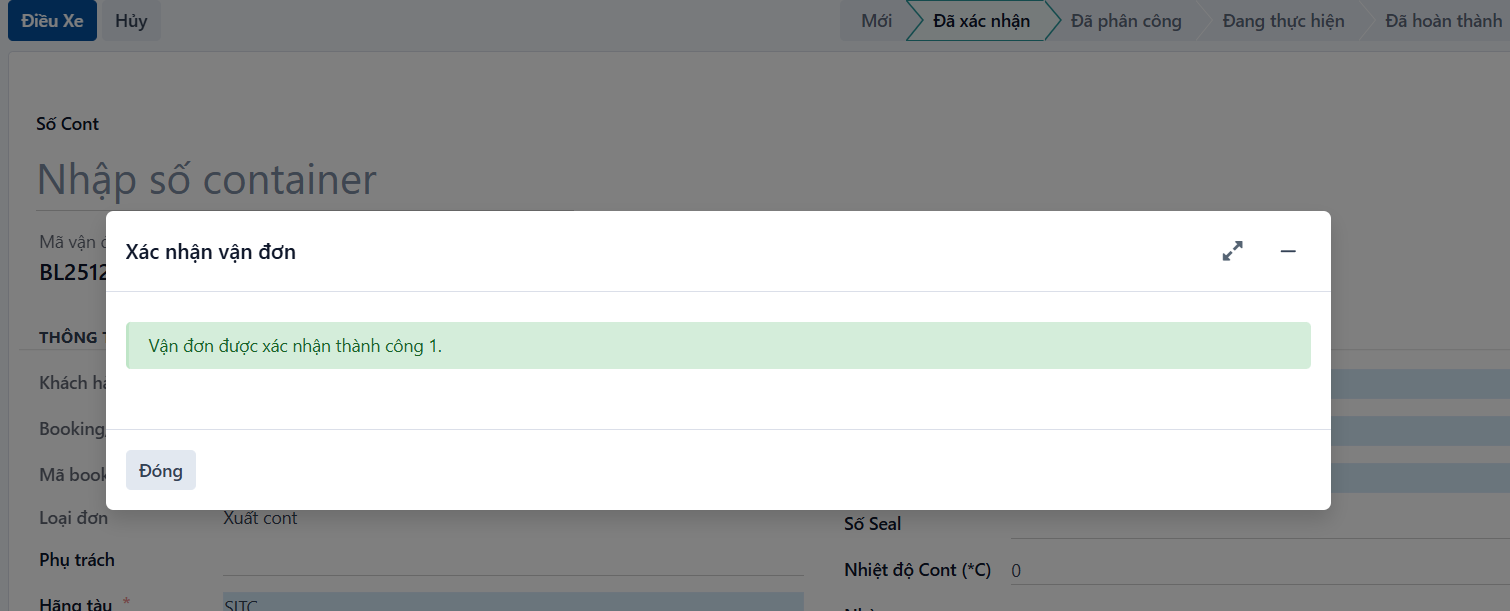
A successfully confirmed waybill shows the message below. Click CLOSE, or press ESC, to dismiss it. The waybill then moves to the CONFIRMED state.

Option 2:
Confirming many containers or waybills at once
Step 1
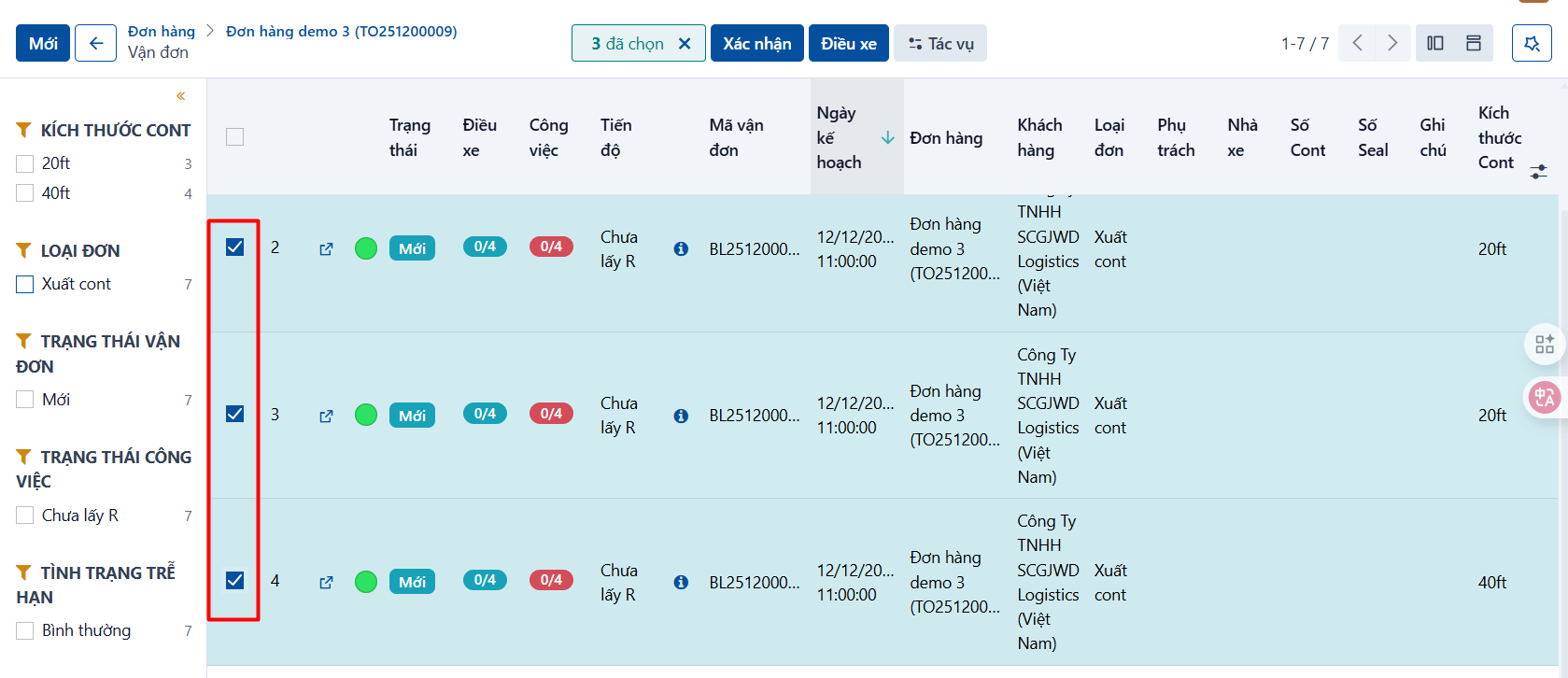
Open the container and waybill list → tick the containers and waybills you want to confirm.
Step 2
Click CONFIRM. When you confirm, the system checks whether each waybill has all the information it needs. If the system warns you, complete the missing information and confirm again.
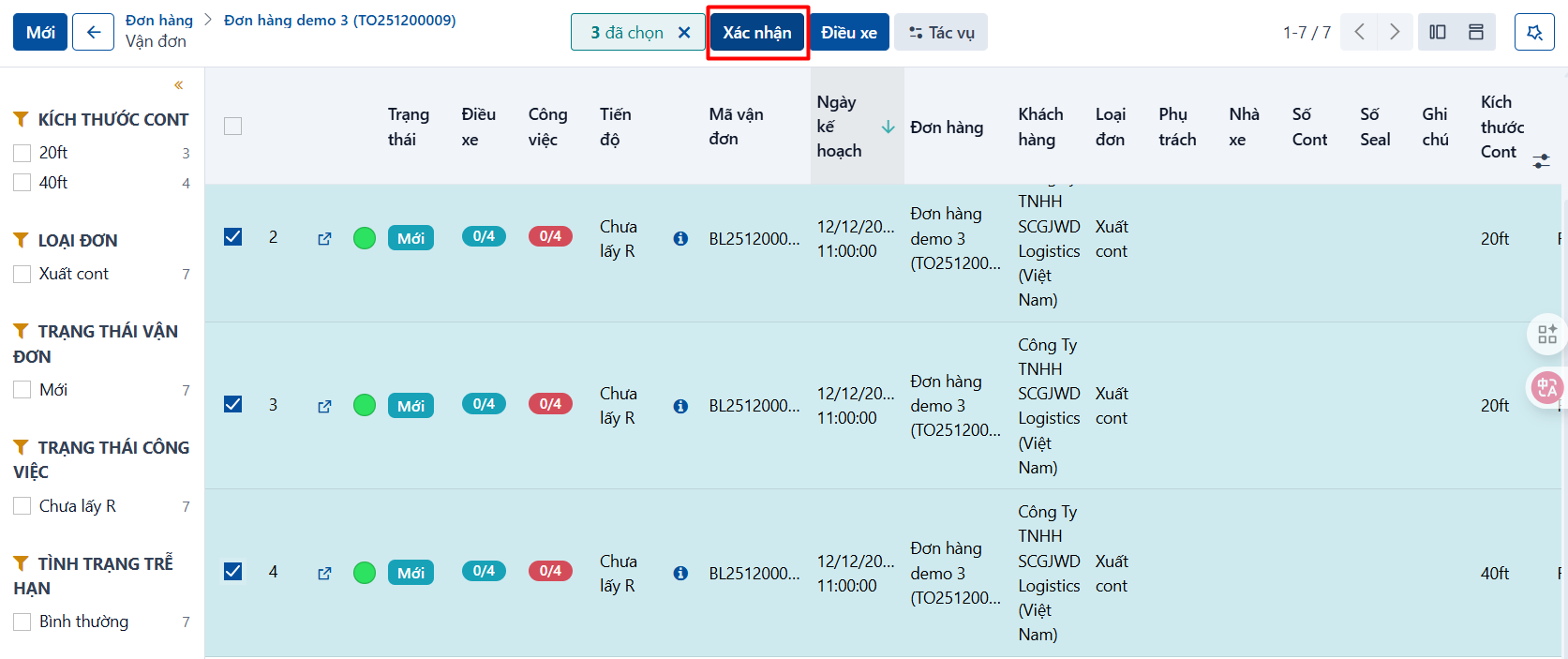
Step 3
A successfully confirmed waybill shows the message below. Click CLOSE, or press ESC, to dismiss it. The waybill then moves to the CONFIRMED state.