Note
You can only cancel a container or waybill while it is not complete.
There are two kinds of cancellation:
-
Cancelled internally
-
Cancelled by the customer.
Canceling a container or waybill
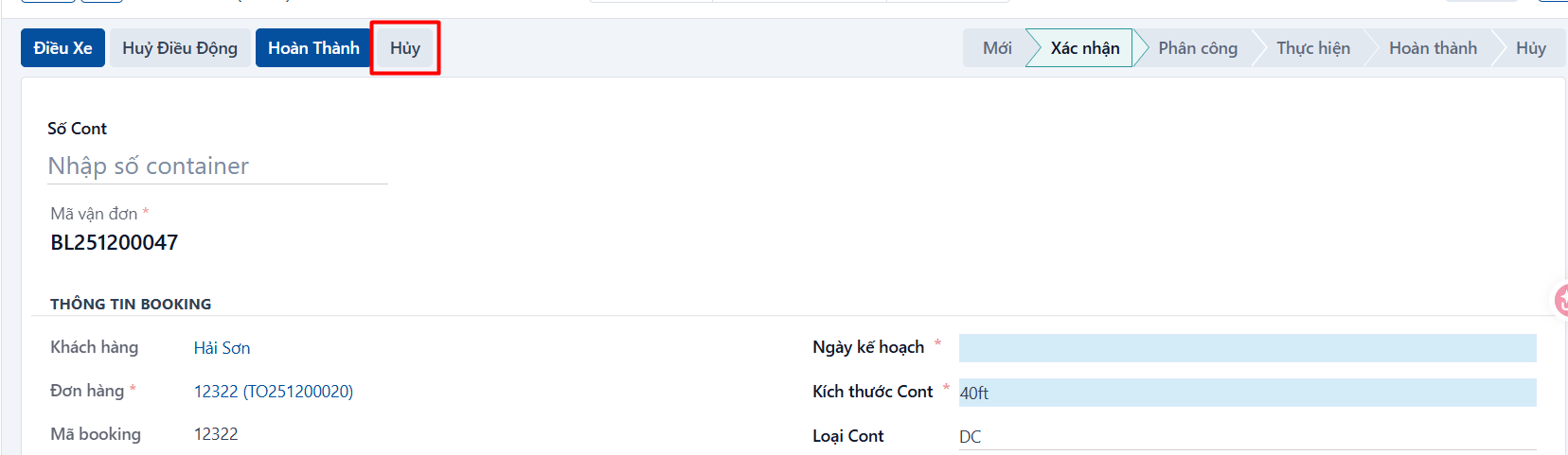
Step 1
Open the waybill you want to cancel → click CANCEL.
Step 2
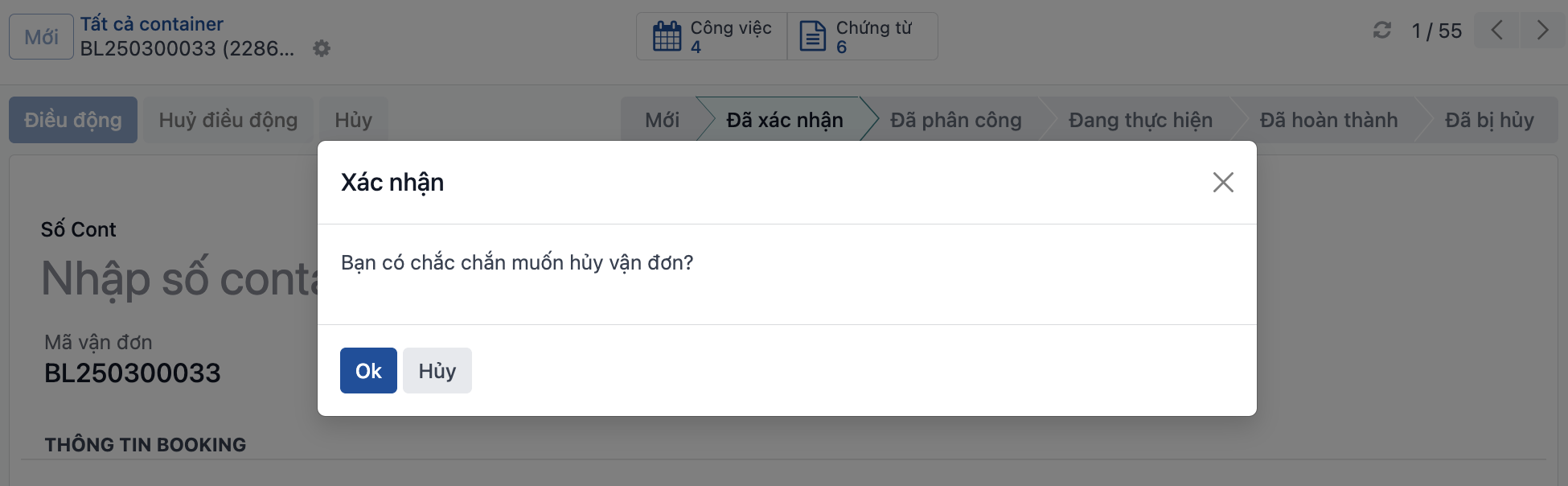
The system asks “Are you sure you want to cancel the waybill?” → if you are, click OK.
Step 3
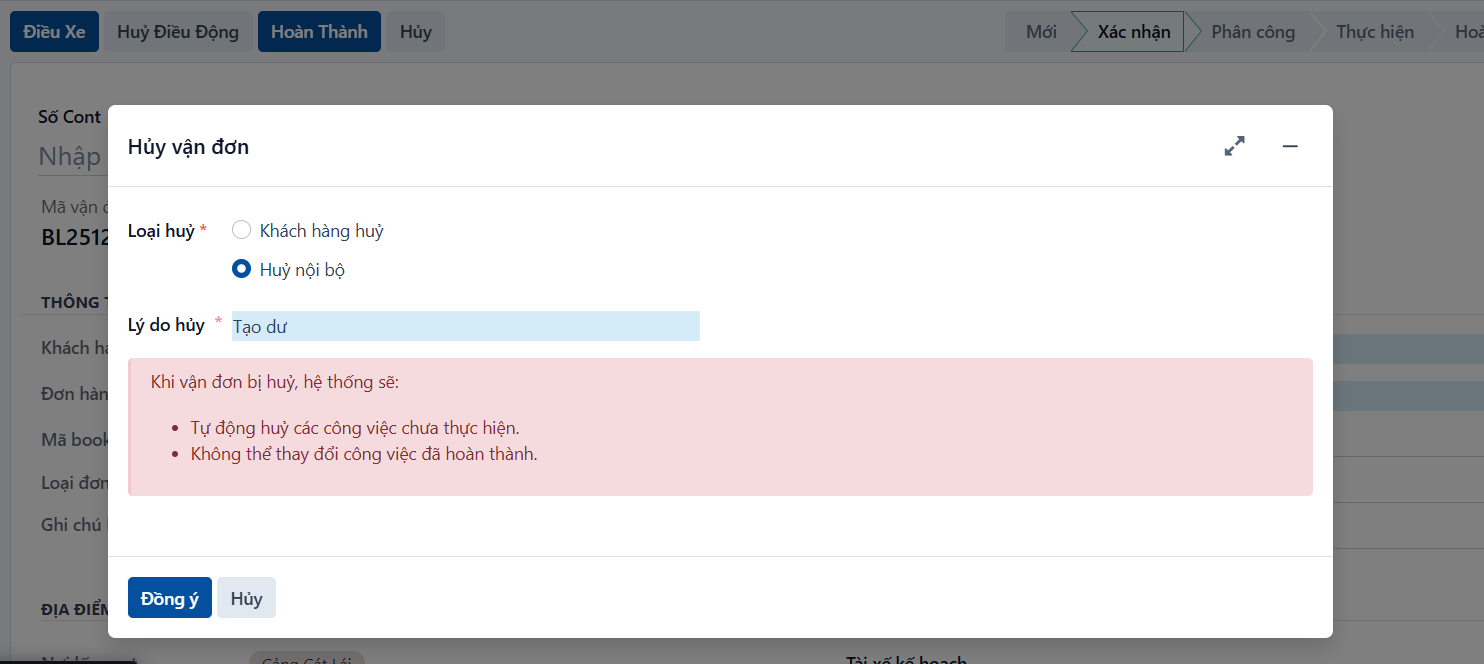
The system shows the cancellation popup as below → select the cancellation type and enter the reason → click OK.
- Read the notes highlighted in red before you confirm the cancellation.
Step 4
The system changes the state of the waybill.
- For cancellation type = Cancelled internally: the system moves the waybill to CANCELED.
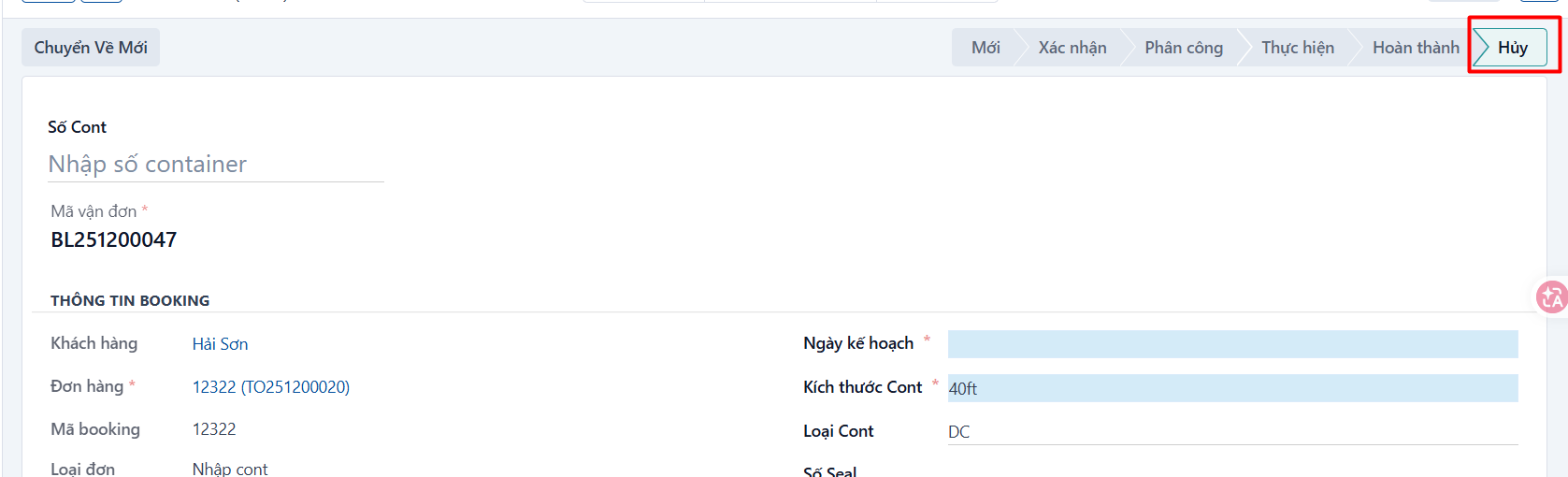
- For cancellation type = Cancelled by the customer: the system moves the waybill to NOT COMPLETED.
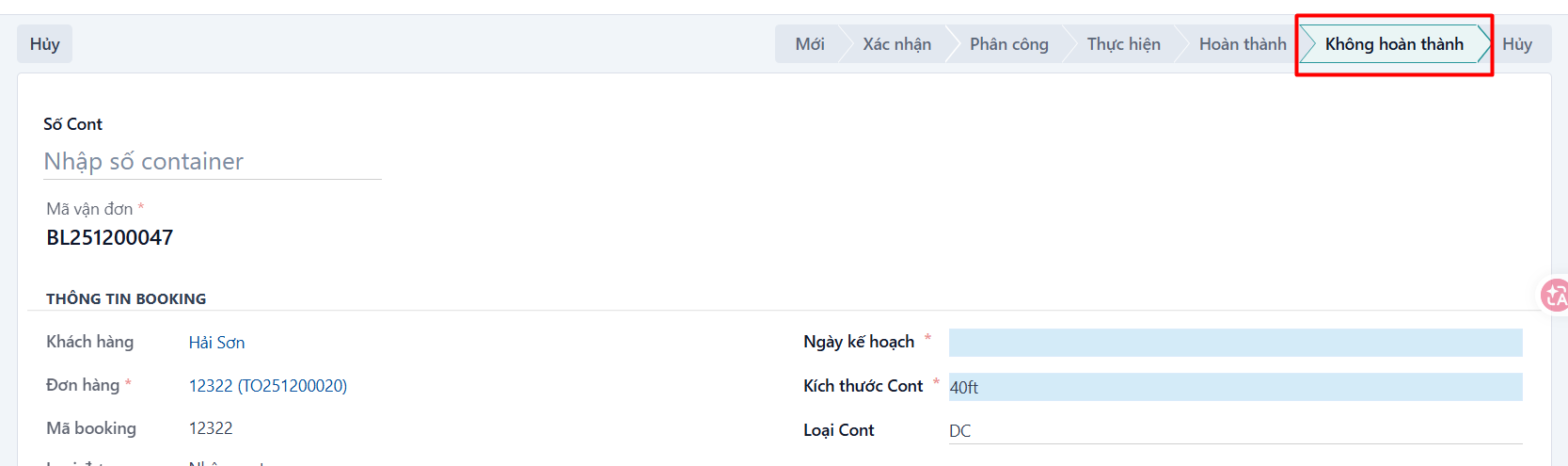
- Keeping the two kinds of cancellation in separate states makes it easy to tell them apart when charging the customer, if that applies.